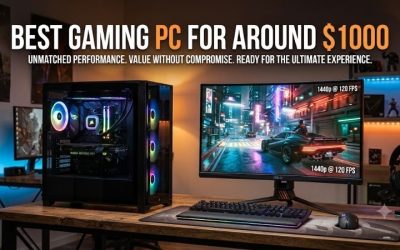
The best gaming desktop for the money in this comparison is the CyberPowerPC SLC4400BSDFV8 if you can get it near the $1,749.99 price we found. Its Radeon RX 9070, Ryzen 7 9800X3D, and 32 GB of memory make it a balanced starting point for a high-refresh 1440p setup. If you already own a 1080p monitor and expect to keep it, spend less on the CyberPowerPC Gamer Master with an RX 9060 or the ASUS ROG G700 with an RTX 5060. A 4K monitor gives you a better reason to pay for a faster graphics card, especially if you play demanding games.
The best gaming desktop for the money at a glance
For a new 1440p setup, start with the RX 9070 CyberPowerPC and compare its checkout price with the RTX 5070 model. At the reference prices below, the Radeon tower costs $50 more and comes with twice the system memory. For 1080p, make the same comparison between the RX 9060 Gamer Master and the RTX 5060 ROG G700. If their prices are close, check which graphics features your games support before deciding.
| Desktop | Best fit | CPU and graphics | RAM / SSD | U.S. reference price | Main trade-off |
|---|---|---|---|---|---|
| CyberPowerPC SLC4400BSDFV8 | Best overall at the observed price for 1440p | Ryzen 7 9800X3D / RX 9070 16 GB | 32 GB / 1 TB | $1,749.99 | 1 TB can fill quickly with a large game library |
| CyberPowerPC Gamer Master GMA6000BSTV6 | Lowest-cost 1080p pick at the observed prices | Ryzen 7 8700F / RX 9060 8 GB | 16 GB / 1 TB | $1,149.99 | Limited graphics memory for demanding texture settings |
| ASUS ROG G700 G700TF-U5F5060 | 1080p with NVIDIA features | Core Ultra 5 225F / RTX 5060 8 GB | 16 GB / 1 TB | $1,199.99 | Check whether the displayed price requires a membership |
| CyberPowerPC SLC8800BSTV11 | 1440p with NVIDIA features | Core Ultra 7 265F / RTX 5070 12 GB | 16 GB / 1 TB | $1,699.99 | Less system memory than the RX 9070 pick |
| iBUYPOWER RDY Element 9 Pro R07 | High-refresh 1440p with more storage and room to try 4K | Ryzen 7 7800X3D / RX 9070 XT 16 GB | 32 GB / 2 TB | $2,399.00 | The graphics card ships uninstalled |
| CyberPowerPC Gamer Supreme SLC8200BSDF | 4K gaming with NVIDIA features | Ryzen 9 9900X / RTX 5080 16 GB | 32 GB / 2 TB | Check current listing | Value depends on the price gap to less expensive 4K candidates |
Reference prices reflect U.S. storefront listings reviewed on November 17, 2026. Some listings showed different prices across page views, and some offers carried deal or membership labels. Use the table as a reference for comparing configurations. Confirm the seller, offer eligibility, sales tax, shipping, and final price before buying.
How we selected these desktops
We compared exact U.S. prebuilt configurations by graphics tier, system memory, SSD capacity, and advertised price. Each pick serves a distinct combination of monitor resolution, budget, and feature requirements. We prioritized the graphics card for higher-resolution gaming and considered how much memory and storage each tower includes before you need to budget for an upgrade.
These recommendations use retailer and manufacturer specifications. We did not conduct detailed research or assign frame-rate, noise, or cooling scores to the desktops. The resolution categories are editorial recommendations. Before buying for a specific performance target, check independent results for your games at the resolution and settings you intend to use.
The prebuilt gaming desktops worth comparing
CyberPowerPC SLC4400BSDFV8: Best gaming desktop for the money at 1440p
The Ryzen 7 9800X3D and Radeon RX 9070 make this CyberPowerPC the first tower to price for a high-refresh 1440p monitor. The RX 9070 has 16 GB of dedicated graphics memory, while the system has 32 GB of DDR5. At the reference prices, it costs $50 more than the RTX 5070 CyberPowerPC and gives you an additional 16 GB of system memory out of the box. That matters if you keep a voice chat, browser, and game launcher open while playing, or if you use memory-heavy mods.
The main compromise is the 1 TB SSD. Check how much space your current installs occupy and whether the motherboard has a usable slot for a second drive. A CyberPowerPC representative lists two NVMe slots for this model, but it’s worth confirming the delivered board and how many slots are occupied before ordering a drive.
Buy if you can get it near the observed price and want a 1440p tower with 32 GB already installed. Skip if the deal ends and a comparable RX 9070 XT or RTX 5070 Ti system is close in price, or if a feature you rely on favors the RTX 5070 in your games.
CyberPowerPC Gamer Master GMA6000BSTV6: Lower-cost 1080p pick
This Gamer Master combines a Ryzen 7 8700F, Radeon RX 9060 with 8 GB of graphics memory, 16 GB of DDR5, and a 1 TB SSD. At the observed $1,149.99, it was the least expensive of the six configurations with a recorded price. It makes sense for a 1080p setup where you have room to adjust textures or effects in more demanding games. The exact graphics card matters here: this configuration uses the RX 9060.
The ASUS ROG G700 offers the same advertised RAM and SSD capacities for $50 more at the reference prices, with an RTX 5060 in place of the Radeon. If you play just a handful of games, check which upscaling options those titles support and compare the two actual checkout prices. Either way, a later RAM upgrade can increase system memory capacity, while the 8 GB of graphics memory remains a constraint when a game calls for more.
Buy if you’re keeping a 1080p monitor and this is meaningfully cheaper than the RTX 5060 alternative at checkout. Skip if you’re buying a 1440p monitor soon and expect to play demanding games with high texture settings.
ASUS ROG G700 G700TF-U5F5060: 1080p pick for NVIDIA features
This version of the ROG G700 pairs a Core Ultra 5 225F with a GeForce RTX 5060, 8 GB of graphics memory, 16 GB of system RAM, and a 1 TB SSD. It’s the lower-cost NVIDIA option in this comparison. Its clearest advantage over the RX 9060 Gamer Master is access to DLSS in games that support it. Check your actual game list, since support varies and the benefit depends on the title and mode.
Best Buy displayed $1,199.99 alongside a Plus & Total offer label. Confirm the price you qualify for before treating it as a $50 step up from the Gamer Master. At a larger premium, the ASUS is harder to justify for general 1080p play. If you need it to last through a planned monitor upgrade, compare the cost of stepping up to the RTX 5070 tower now with the cost of replacing the GPU later.
Buy if you play at 1080p, want DLSS in supported games, and can buy near the reference price. Skip if the price you qualify for is substantially higher or your next monitor is already budgeted for 1440p.
CyberPowerPC SLC8800BSTV11: 1440p pick for NVIDIA features
This configuration pairs a Core Ultra 7 265F with a GeForce RTX 5070, 12 GB of graphics memory, 16 GB of DDR5, and a 1 TB SSD. Its strongest case is for the buyer who wants a 1440p prebuilt and regularly plays games with DLSS support. If ray tracing is a priority, compare game-specific results with ray tracing enabled and the upscaling mode you would actually use. A result from a different preset can obscure how much performance that feature costs.
The RAM configuration is the main reason to compare this tower with the RX 9070 model. If you need 32 GB, add the actual cost of a compatible upgrade to the RTX 5070 tower’s checkout price. Verify whether the included 16 GB uses one module or multiple modules before assuming you can add a single stick. Best Buy surfaced more than one price for this SKU, so the $1,699.99 reference is especially important to recheck.
Buy if you want NVIDIA features at 1440p and the price stays competitive after any memory upgrade. Skip if you mainly play without ray tracing or vendor-specific features and the 32 GB RX 9070 tower still costs only slightly more.
iBUYPOWER RDY Element 9 Pro R07: High-refresh 1440p with a 2 TB SSD
The RDY Element 9 Pro R07 combines a Ryzen 7 7800X3D with an RX 9070 XT, 16 GB of dedicated graphics memory, 32 GB of DDR5, and a 2 TB NVMe SSD. The extra terabyte is useful if you already know that a 1 TB drive would force you to rotate installations. The XT GPU is the main reason to consider the price increase if you play demanding games at 1440p or want the flexibility to try them at 4K with tuned settings.
At $2,399, this model was about $649 more than the RX 9070 CyberPowerPC at the listed reference prices. If you mainly want storage, compare the cost of adding an SSD to the cheaper tower first. Also factor in setup. iBUYPOWER states that the graphics card ships uninstalled, so plan to install it before you can use the system for gaming.
Buy if you have a clear use for the higher GPU tier and 2 TB drive, and you’re comfortable installing the card. Skip if the RX 9070 already meets your game targets or you want a desktop that arrives with its graphics card installed.
CyberPowerPC Gamer Supreme SLC8200BSDF: 4K candidate with an RTX 5080
This Gamer Supreme combines a Ryzen 9 9900X and GeForce RTX 5080 with 16 GB of graphics memory, 32 GB of DDR5, and a 2 TB SSD. It’s the most natural fit in this group if you already have a 4K display, play demanding games, and know you’ll use NVIDIA features. It’s also the desktop here where a failure to check the checkout price can cost you the most. Compare it with a less expensive RTX 5070 Ti or RX 9070 XT tower before committing.
At 4K, make sure the evidence matches your expectations. Native rendering, upscaling, and frame generation are different settings. If you want responsive play, evaluate the underlying frame rate and frame times as well as the displayed frame rate. Also verify the delivered power supply and GPU clearance if you expect to keep the case and upgrade it later.
Buy if your priority is demanding 4K gaming and the price premium makes sense for the games you play. Skip if you’re staying at 1440p or would rather use tuned 4K settings and keep more of your budget for the monitor.
How to spend your gaming desktop budget
Start with the monitor and three games
Write down your monitor resolution, refresh rate, and the three games you expect to play most. A 1080p competitive shooter setup and a 4K single-player setup can both benefit from faster hardware, but for different reasons. In a competitive game, look for stable frame times and performance under load at the settings you actually use. In a demanding 4K game, decide whether you’re comfortable with upscaling and which visual features are worth keeping enabled.
This also helps you spot where a monitor purchase will matter more than a tower upgrade. For example, if you own a basic 1080p display and want a sharper image for single-player games, price the 1440p monitor and RX 9070 tower together. If you already have a 1080p display that suits your games, an RX 9060 or RTX 5060 build leaves more of the budget available for the rest of the setup.
Price RAM, storage, and service before you order
Treat system RAM and graphics memory as separate line items. If the tower has 16 GB of RAM and you know you want 32 GB, verify the installed module layout and price the upgrade. If your game exceeds the graphics card’s memory budget at your preferred settings, focus on texture settings or the GPU choice. A larger SSD solves a different problem: having room to keep more games installed at once.
Before placing the order, ask the seller to confirm the motherboard, power-supply model, and remaining SSD slots if those details affect your decision. For a future GPU replacement, verify physical clearance, required power connectors, and power-supply capacity. Compare the seller’s return window with the manufacturer’s warranty terms for that exact purchase channel, especially who pays to ship the tower back and whether you must return the whole PC for service.
Frequently asked questions
Is 16 GB of RAM enough for a prebuilt gaming PC?
It can be enough for a 1080p gaming system if your games and background apps fit comfortably. Check the recommended memory for your most demanding game and consider whether you’ll also run mods, a browser, recording software, or a second application while playing. If you expect to upgrade soon, compare the installed cost of 32 GB against a similarly priced tower that includes it.
Is an RTX 5080 worth buying for 1440p?
It can make sense if you’re targeting a high refresh rate in demanding games or use heavy ray tracing and can verify that the extra GPU performance helps at your settings. Compare results with the same presets and upscaling modes. If an RX 9070 or RTX 5070 already meets your target, the price difference is available for a better display, more storage, or another part of the setup.
Conclusion
Start with the CyberPowerPC SLC4400BSDFV8 if you’re buying for 1440p and can get it near $1,749.99. Its RX 9070 and 32 GB of RAM make the strongest case at the observed prices. For 1080p, compare the RX 9060 Gamer Master with the RTX 5060 ROG G700 and use your games and final checkout prices to decide. If you already own a 4K monitor, compare the RX 9070 XT iBUYPOWER with the RTX 5080 Gamer Supreme at the settings you intend to use. That comparison gives you a concrete reason to pay for either step up.
More from Amazon
Programs that pair well with the guide above. Offers and eligibility are set by Amazon and may change.
Set up recurring deliveries of everyday items on eligible products. Terms and savings are set by Amazon.
Explore Subscribe & SaveFree shipping on eligible items, Prime Video and more. Eligible new members can start with a free trial.
Start a Prime free trialA Prime membership for ages 18-24 with a trial period. Eligibility is set by Amazon.
See Prime for Young AdultsAudiobooks and podcasts to listen to on the go. Eligible new members can start with a free trial.
Try Audible freeAs an Amazon Associate we earn from qualifying purchases.