Key takeaways
- Prebuilt: The price includes assembly. Check the exact configuration, whether Windows is included, and who handles repairs. A sale can make a prebuilt competitive with an equivalent parts list.
- DIY: Add the CPU, GPU, motherboard, RAM, SSD, power supply, case, and any required cooler or operating system license. Reusing compatible parts can reduce your total. Compare the full bill with a prebuilt priced on the same day.
- Used or refurbished: Compare the exact CPU and GPU with a similarly priced new system. Ask about return coverage and what you can verify before committing. For a used tower that needs more storage or a new power supply, include those costs in your comparison.
If you’re asking how much for a gaming desktop, start with about $1,000–$1,400 for a new 1080p-oriented tower, $1,500–$2,200 for a 1440p-oriented prebuilt, or $3,000 and up for a premium tower aimed at demanding 4K gaming. These are U.S. planning figures before tax, shipping, and peripherals. You can spend less if you buy used, catch a sale, or play lighter games. The simplest way to narrow your budget is to pick the resolution you’ll actually use, name the games you play most, and set aside money for any equipment you need to buy with the tower.
How much for a gaming desktop at each resolution?
The price bands below are starting budgets for shopping. The exact listings show how much one complete configuration in each tier cost on November 17, 2026. They’re examples of how prices scale across configurations. They aren’t the lowest available prices or a guarantee of performance in any specific game.
| Gaming goal | New prebuilt tower budget | Example U.S. listing | What could change the budget |
|---|---|---|---|
| 1080p gaming | About $1,000–$1,400 | $1,399.99 for a CyberPowerPC with a Core Ultra 5 225F, RTX 5060 8 GB, 16 GB RAM, and a 1 TB SSD | Lighter games, lower graphics settings, or a sale can reduce the cost |
| 1440p gaming | About $1,500–$2,200 | $2,199.99 for an iBUYPOWER Element with a Ryzen 7 9700F, RTX 5070 12 GB, 32 GB RAM, and a 1 TB SSD | Demanding games, higher frame-rate targets, and a larger SSD can push the price up |
| Demanding 4K gaming | About $3,000 and up for a premium tower | $3,799.99 for an ASUS ROG G700 with a Core Ultra 7 270K, RTX 5080, 32 GB RAM, and a 2 TB SSD | Lower settings or upscaling can make a less expensive configuration worth evaluating |
The ASUS example illustrates a premium 4K-oriented build. A buyer who plays less demanding games or accepts a lower frame rate can start below that price. The same principle applies at 1080p. Competitive gaming at a very high refresh rate may justify a larger budget than casual play at the same resolution.
How much for a gaming desktop if you already own a monitor?
Use the monitor’s native resolution and refresh rate to set your starting point. If you have a 1080p 60 Hz display and plan to keep it, prioritize a tower that can deliver consistent performance in your games at that resolution. With a 1440p 165 Hz display, you may want to budget more, especially if the games you care about are demanding and you want to use more of the monitor’s refresh range.
Check whether you plan to upgrade the display soon. If you expect to move from 1080p to 1440p, evaluate the tower using 1440p results before you buy. If the screen will stay for several years, putting money into an oversized GPU today may do less for your setup than getting enough storage for your game library or buying a desktop with better support.
What changes the price of a gaming PC?
Resolution, graphics settings, and frame-rate targets determine how much hardware you need. For example, a 1440p single-player game at a moderate frame rate and a 1080p competitive shooter at a very high frame rate can place different demands on the GPU and CPU. Decide what matters in your actual games before comparing system prices.
The GPU and CPU affect different parts of the experience
The GPU is usually the first specification to compare when you’re moving up in resolution or enabling demanding graphics settings. A 1440p frame has about 78% more pixels than a 1080p frame, and a 4K frame has four times as many pixels as a 1080p frame. Frame rates don’t scale directly with pixel count because game engines, settings, and other hardware also affect performance. The larger workload explains why a resolution upgrade can change which graphics card makes sense.
The CPU deserves more attention when your goal is very high frame rates or when the game spends a lot of time on simulation. Check performance evidence for your games at the settings you’d actually use. If you compare test results, keep native rendering, upscaling, and frame generation separate. Those settings can produce different experiences even when the reported frame rates look similar.
RAM, storage, and upgrade options change what you pay later
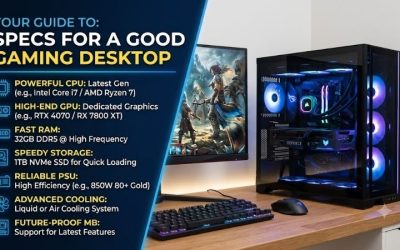
The 1080p example has 16 GB of system RAM, while the other two examples have 32 GB. Check the requirements of your games and think about what runs alongside them. If you keep a browser, voice chat, and recording software open while playing, extra memory may be more useful than it is for someone who runs one game at a time. System RAM and dedicated GPU memory are separate specifications, so compare them separately.
Storage mainly affects what you can keep installed. If two towers have similar pricing, a second usable SSD slot may be worth more to you than a small increase in the included drive size. If you expect to replace the graphics card later, ask for the power supply model, available connectors, and case clearance. A cheap tower can become expensive to upgrade if the replacement card also requires a new power supply or won’t fit the case.
What does a full gaming setup cost?
A tower price gets you the computer. Your setup budget also needs to cover whatever you’re missing, such as a monitor, keyboard, mouse, audio, and any required cables. Check what comes in the box before pricing accessories. For a hard spending limit, calculate the tax and any shipping charges before deciding how much you can allocate to the tower.
As a concrete example, the $1,399.99 CyberPowerPC and a Samsung Odyssey G30D 24-inch 1080p monitor listed at a $99.99 promotional price came to $1,499.98 before tax and shipping. That subtotal covers the tower and monitor only. If $1,500 is your total limit and you’re starting from scratch, you’ll need a less expensive tower, a display you already own, or a different combination of deals.
Is it cheaper to buy prebuilt, build your own, or buy used?
Make the comparison with the same GPU class, similar CPU performance for your games, and equivalent memory and storage. A lower advertised price can reflect a different graphics card, a smaller SSD, or an operating system that you’ll need to buy separately. Comparing complete totals will show where the savings come from.
- Prebuilt: The price includes assembly. Check the exact configuration, whether Windows is included, and who handles repairs. A sale can make a prebuilt competitive with an equivalent parts list.
- DIY: Add the CPU, GPU, motherboard, RAM, SSD, power supply, case, and any required cooler or operating system license. Reusing compatible parts can reduce your total. Compare the full bill with a prebuilt priced on the same day.
- Used or refurbished: Compare the exact CPU and GPU with a similarly priced new system. Ask about return coverage and what you can verify before committing. For a used tower that needs more storage or a new power supply, include those costs in your comparison.
Frequently asked questions
Can $800 buy a gaming desktop?
Yes, especially if you’re open to used or refurbished hardware, a sale, or an entry-level configuration for lighter games. At that budget, verify the exact GPU and whether it’s dedicated or integrated. For a more demanding game, look for evidence at the resolution and settings you plan to use. If the $800 also has to cover a display and accessories, set the tower budget after pricing those items.
Do I need a $2,000 gaming desktop?
For many 1080p players, a lower-priced tower is enough to consider first. A $2,000 budget becomes easier to justify if you’re targeting demanding games at 1440p, want higher frame rates, or need a configuration that also fits your recording or multitasking habits. Before spending more, identify what the higher-priced system changes. A GPU upgrade can matter more for your gaming target than paying extra for storage capacity you won’t use.
Conclusion
Start at about $1,000–$1,400 for a new 1080p tower or $1,500–$2,200 for a 1440p-oriented prebuilt. Treat $3,000 and up as a planning figure for a premium desktop aimed at demanding 4K games. For a tighter budget, evaluate sales, used hardware, or lower settings against the specific games you play. If you’re buying a complete setup, price the monitor and missing accessories first, then use what’s left to compare towers by their exact GPU, CPU, memory, and storage.
More from Amazon
Programs that pair well with the guide above. Offers and eligibility are set by Amazon and may change.
Set up recurring deliveries of everyday items on eligible products. Terms and savings are set by Amazon.
Explore Subscribe & SaveFree shipping on eligible items, Prime Video and more. Eligible new members can start with a free trial.
Start a Prime free trialA Prime membership for ages 18-24 with a trial period. Eligibility is set by Amazon.
See Prime for Young AdultsAudiobooks and podcasts to listen to on the go. Eligible new members can start with a free trial.
Try Audible freeAs an Amazon Associate we earn from qualifying purchases.