Key takeaways
- Lowest checked price among the selected desktops.
- RTX 5060 graphics with 8GB of memory.
- 1TB NVMe SSD rather than a small boot drive.
- Leaves more of the budget available for other gaming equipment.
Finding the best gaming pc for around 1000 is less about buying the biggest spec sheet and more about finding a balanced prebuilt with a worthwhile graphics card, enough memory, and a power supply you can identify. At the October 31, 2026, U.S. price check, the ABS Cyclone Aqua is the price leader at $849, while the ZOTAC MEK 5060 uses nearly the full budget but discloses more of its core hardware. The Stormcraft Sirius is worth considering only if you can stretch to $1,049.99. All three are 1080p-first PCs, not guaranteed max-settings 1440p machines.
Best gaming pc for around 1000: quick picks
| Desktop | Best for | CPU and graphics | Memory and storage | Checked price | Main trade-off |
|---|---|---|---|---|---|
| ABS Cyclone Aqua | Lowest upfront cost | Intel Core 5 Processor 120; GeForce RTX 5060 8GB | 16GB DDR4; 1TB NVMe SSD | $849 at Walmart | Power supply and motherboard details are not disclosed in the listing |
| ZOTAC MEK 5060, MEK5060A5500BR1 | Buyers who want more component details | Ryzen 5 5500; GeForce RTX 5060 8GB | 16GB DDR4-3200; 1TB NVMe SSD | $999.99 at Newegg | Older AM4 platform; power supply brand is not specified |
| Stormcraft Sirius, SI1440FBB-560N2 | Buyers willing to spend slightly more for a stronger CPU specification | Core i5-14400F; GeForce RTX 5060 8GB | 16GB DDR4-3200; 1TB NVMe SSD | $1,049.99 at Newegg | $49.99 over budget; component brands may vary |
Prices are before tax and were checked on October 31, 2026. They can change with promotions, stock, and location.
The ABS Cyclone Aqua is the most compelling price-first option because it pairs an RTX 5060 with a $849 asking price. Its incomplete component disclosure is a meaningful caveat, though: check the power supply and motherboard details before committing. The ZOTAC MEK 5060 costs about $151 more but provides a clearer specification sheet, including a 650W 80 Plus Gold power supply. The Stormcraft is a reasonable stretch candidate, but its higher price buys a stronger CPU specification rather than a faster graphics card.
How we selected these desktops
This shortlist focuses on complete, ready-to-use gaming towers sold in the U.S. The main filters were a discrete graphics card suitable for current 1080p gaming, at least 16GB of system memory, a 1TB SSD, Windows 11, and a current listed price close to or below $1,000.
We checked exact retail configurations instead of assuming that every desktop sold under a familiar product name has the same components. That matters in this price range: a retailer may offer multiple graphics cards, memory capacities, or storage configurations under nearly identical listing titles.
We also considered how much of each system’s hardware the seller actually identifies. A PC with a named motherboard, power supply rating, and memory speed is easier to evaluate for upgrades than a listing that only provides CPU, GPU, RAM capacity, and storage capacity. Warranty terms and the retailer selling the desktop also matter.
There are only three recommendations here because the current market did not provide enough comparably attractive, clearly specified options below $1,000. Including poorly documented systems simply to reach six or eight picks would make the guide less useful.
None of these desktops was supplied for detailed research, and no complete-system benchmark results were available for the exact configurations reviewed. Independent graphics-card testing can provide useful context for the RTX 5060, but it cannot establish the temperatures, noise levels, or exact frame rates of an assembled desktop.
The three desktops worth comparing
Best gaming pc for around 1000: ABS Cyclone Aqua
The ABS Cyclone Aqua is the strongest choice for buyers who want to spend substantially less than $1,000 without dropping to an entry-level graphics card. Walmart listed this configuration at $849 on October 31, 2026, with the listing identifying Walmart.com as the seller and shipper.
Its advertised configuration includes an Intel Core 5 Processor 120, an NVIDIA GeForce RTX 5060 with 8GB of graphics memory, 16GB of DDR4 RAM, and a 1TB NVMe SSD. The listing also identifies Windows 11 and Wi-Fi. Intel specifies the Core 5 Processor 120 as a six-core, 12-thread desktop processor with a maximum turbo frequency of 4.5GHz. That gives the system a straightforward mainstream CPU configuration rather than an unusually weak processor paired with a more expensive graphics card.
The RTX 5060 is the key part of this build. It makes the Cyclone Aqua a more attractive gaming option than many budget desktops that rely on older or lower-tier graphics cards. At $849, the system also leaves more room in the budget for a monitor, a larger memory kit, or other upgrades.
The biggest concern is what the product page does not say. It does not identify the power supply’s manufacturer, model, or wattage, nor does it provide a motherboard model. The listing also does not establish whether the 16GB of RAM uses one module or two. Those omissions make it difficult to judge the system’s upgrade options and power-supply quality from the listing alone.
That does not automatically make the ABS a poor purchase. It means the price should not be the only factor in the decision. Ask ABS or the retailer for the exact power supply and motherboard details, and confirm the memory configuration before buying. If those parts are difficult to verify, consider whether the savings are worth accepting less transparency.
ABS states that its standard system warranty is up to one year. Its terms limit coverage to purchases from an authorized online retailer in the United States or Canada and to the original purchaser. Although the Walmart listing identifies Walmart.com as the seller and shipper, the eligibility of this specific offer under ABS’s authorized-retailer terms should be confirmed before checkout.
Advantages
- Lowest checked price among the selected desktops.
- RTX 5060 graphics with 8GB of memory.
- 1TB NVMe SSD rather than a small boot drive.
- Leaves more of the budget available for other gaming equipment.
Disadvantages
- Power supply and motherboard are not identified in the product listing.
- RAM speed and module arrangement are not stated.
- ABS warranty eligibility for this specific retailer listing should be confirmed.
Buy it if you want the least expensive route to an RTX 5060 desktop and can verify the missing component details. Skip it if you need a fully documented parts list before purchase or plan an upgrade that depends on knowing the motherboard and power supply in advance.
ZOTAC MEK 5060: the most clearly specified build
The ZOTAC MEK 5060 is a better fit for buyers who value a more complete specification sheet. The exact model number is MEK5060A5500BR1, and Newegg listed it at $999.99 on October 31, 2026. That price is specific to the Newegg listing; ZOTAC’s own store showed a higher price for the system at the time of the check.
The desktop pairs an AMD Ryzen 5 5500 processor with an NVIDIA GeForce RTX 5060 8GB graphics card. Its other listed components include 16GB of DDR4-3200 memory, a 1TB NVMe M.2 SSD, a B550 motherboard, and a 650W 80 Plus Gold power supply. It also includes Wi-Fi 6E, Bluetooth 5.2, Gigabit Ethernet, Windows 11 Home, HDMI 2.1, and three DisplayPort 1.4a outputs.
That level of disclosure is useful at this price. Knowing the motherboard chipset and power supply rating gives buyers more information for planning a memory or storage upgrade. The listing still does not identify the power supply’s specific manufacturer and model, however, and it does not establish whether the RAM is installed as one module or a two-module kit.
The Ryzen 5 5500 is a six-core, 12-thread processor with a maximum boost clock of 4.2GHz. It is an AM4 processor, so this is an older DDR4-based platform rather than a newer AM5 system using DDR5 memory. That is not necessarily a problem for a budget gaming desktop, especially when the graphics card is the main priority, but buyers planning a substantial CPU-platform upgrade should factor it in.
The ZOTAC’s main advantage over the ABS is therefore not a more powerful graphics card. Both use the RTX 5060 8GB. It is the clearer disclosure of the major system components, plus the listed 650W Gold-rated power supply and Wi-Fi 6E connectivity. Whether those differences justify spending about $151 more depends on how much you value knowing more about the system before purchase.
ZOTAC’s U.S. warranty information lists one year of complete-system coverage and three years of graphics-card coverage. Check the current warranty terms and eligibility for the exact Newegg purchase before ordering, rather than assuming every seller and configuration has identical coverage.
Advantages
- RTX 5060 8GB graphics card.
- 650W 80 Plus Gold power supply is specified.
- B550 motherboard and DDR4-3200 memory are listed.
- Wi-Fi 6E, Bluetooth 5.2, and a useful selection of display outputs.
- Published ZOTAC warranty information distinguishes system and graphics-card coverage.
Disadvantages
- Costs almost the full $1,000 budget before tax.
- Uses the older AM4 and DDR4 platform.
- The power supply’s manufacturer and exact model are not identified in the listing.
- RAM module arrangement is not confirmed.
Buy it if you want an RTX 5060 desktop with more of its core components disclosed and prefer the listed connectivity. Skip it if $1,000 is a hard pre-tax ceiling, or if your priority is moving to an AM5 and DDR5 platform rather than buying a budget-focused AM4 system.
Stormcraft Sirius: the $50 stretch pick
The Stormcraft Sirius SI1440FBB-560N2 is worth considering only when a small budget stretch is acceptable. Newegg listed this configuration at $1,049.99 on October 31, 2026, making it $49.99 more expensive than the target budget.
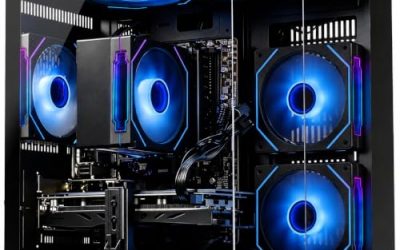
Its specifications include an Intel Core i5-14400F processor, an RTX 5060 8GB graphics card, 16GB of DDR4-3200 memory, and a 1TB NVMe SSD. The listing also identifies a B760M D4 Wi-Fi CEC motherboard, a 650W 80 Plus Gold power supply, Wi-Fi 5, a tower CPU cooler, six ARGB fans, and Windows 11 Home. A keyboard and mouse are included.
The main reason to consider this desktop is its CPU specification. The Core i5-14400F has 10 cores and 16 threads, giving it more cores and threads on paper than the six-core, 12-thread processors in the ABS and ZOTAC systems. That may appeal to buyers who do more CPU-heavy multitasking alongside gaming. It should not be mistaken for proof of a particular gaming frame-rate advantage: all three shortlisted desktops use the same RTX 5060 graphics tier, and no complete-system benchmark comparison was available.
The listing’s warranty terms are also more generous on paper than those shown for some competitors, with two years for parts and three years for labor. Check the actual terms attached to the order, including how warranty service is handled and which components are covered.
There is an important qualification: Newegg notes that component brands may vary. Although the listing identifies the motherboard type and power supply rating, the actual brands of some installed parts may not be guaranteed. Buyers should confirm the exact parts if they have specific requirements for the motherboard, power supply, memory, or cooling.
The Sirius does not provide a graphics-card upgrade over the cheaper ABS and ZOTAC options. Its appeal is the higher-core-count Intel processor, the listed warranty terms, and a relatively detailed component description. For someone who mainly wants to play games at 1080p and stay within budget, the extra $50 may be better kept for a future memory upgrade or other equipment.
Advantages
- Core i5-14400F has a higher core and thread count than the other two selected CPUs.
- RTX 5060 8GB graphics and 1TB NVMe storage.
- 650W 80 Plus Gold power supply is listed.
- Newegg lists two years of parts coverage and three years of labor coverage.
- Keyboard and mouse are included.
Disadvantages
- Costs $49.99 above the target budget before tax.
- Still uses 16GB of DDR4 memory.
- Uses the same RTX 5060 graphics tier as the less expensive picks.
- Component brands may vary, so the listing does not guarantee every manufacturer’s identity.
Buy it if you can stretch beyond $1,000 and value the stronger CPU specification for gaming plus multitasking. Skip it if you have a strict budget or expect the higher price to deliver a meaningfully faster graphics card.
What RTX 5060 performance means in practice
An RTX 5060 desktop in this price range is best approached as a 1080p gaming system. The graphics card is capable of running a wide range of games at that resolution, but the ideal settings will depend on the title, game engine, and visual effects being used.
TechSpot’s independent RTX 5060 review tested the graphics card across 18 games. Its 1080p results placed the card around the performance level of the RTX 4060 Ti and RTX 3070 on average, while showing a sizeable improvement over the RTX 4060. That provides useful context for the graphics card in these desktops, but it is not a benchmark of any of the three complete PCs in this roundup.
The more important limitation for buyers planning to keep a system for several years is the card’s 8GB of video memory. TechSpot found that some demanding games put pressure on 8GB cards at 1440p, with visual-quality compromises such as missing textures appearing in certain situations. A game may still run at 1440p, but that does not mean every new release will run smoothly with ultra textures and demanding effects enabled.
For practical use, consider these expectations:
- At 1080p, start with high settings and adjust individual options when a demanding game needs more performance.
- At 1440p, expect to make more compromises, particularly with texture quality and ray tracing in demanding games.
- Use supported upscaling features when a game needs extra performance, but do not assume they eliminate video-memory limitations.
- Do not buy one of these systems expecting consistently high-end 4K gaming.
The processor, memory configuration, cooling, and power settings can affect the behavior of a complete desktop. Since there are no independent full-system test results for these exact configurations, it would be misleading to attach a specific frame-rate estimate to any one of them.
How to choose the right gaming PC near $1,000
Prioritize the graphics card
For a gaming desktop around this budget, the graphics card should be one of the first specifications to check. The RTX 5060 is the common strength of the three selected systems. It is a more useful starting point for gaming than choosing a desktop with a stronger-sounding processor but a substantially weaker GPU.
Match the graphics card to the display you actually use. A 1080p monitor is the more comfortable pairing for this class of desktop. A 1440p monitor can still make sense, but you should be prepared to adjust settings in more demanding games. Buyers who want 4K gaming with high settings should plan for a higher graphics-card budget.
Treat 16GB of RAM as a starting point
All three selected desktops list 16GB of system memory. That is a reasonable entry-level capacity for a budget gaming PC, but it leaves less room for heavy multitasking than a 32GB configuration.
A browser with many tabs, voice chat, game launchers, recording software, and a demanding game can use memory at the same time. Moving to 32GB can make the system more comfortable for those workloads, although the benefit depends on the games and applications being used.
Before buying, check whether the desktop uses one 16GB module or two 8GB modules, how many memory slots are available, and what capacity the motherboard supports. Do not assume that a listing showing 16GB automatically means the system has a free slot for a simple upgrade.
Check the power supply and motherboard
A power supply is not a detail to ignore just because the desktop already turns on and runs. Look for its wattage, manufacturer, exact model, and relevant power connectors. An 80 Plus Gold label describes an efficiency certification; it does not, by itself, establish the quality of every component inside the power supply.
This is where the three systems differ. ZOTAC and Stormcraft list 650W 80 Plus Gold power supplies, but their retail descriptions do not fully identify the PSU manufacturers and models. The ABS listing does not provide the power supply rating or model at all. Ask for those details if you expect to upgrade the GPU later.
The motherboard matters for similar reasons. It determines memory compatibility, expansion options, storage slots, and the processor platform. ZOTAC lists a B550 board, and Stormcraft lists a B760M D4 Wi-Fi CEC board. The ABS listing does not identify its motherboard model, so its upgrade path is harder to assess before purchase.
Look beyond the number of case fans
A gaming desktop with several RGB fans can look more impressive than a plain tower, but fan count alone does not establish good cooling. Airflow also depends on the case design, fan placement, cooler, GPU design, and how the system manages heat under sustained gaming loads.
The Stormcraft listing advertises six ARGB fans and a tower CPU cooler. That tells you more about its advertised cooling hardware than the ABS listing does, but it does not prove that the system runs cooler or quieter. Without independent temperature and noise measurements for the exact desktop, treat those as specifications rather than tested advantages.
Compare the seller, warranty, and return terms
A manufacturer’s warranty and a retailer’s return policy are different protections. Check both before ordering, especially when a desktop is sold through a marketplace or a third-party storefront.
Confirm the seller shown on the final checkout page, the length of the return window, who pays return shipping, and how a defective system is handled. Keep the product listing and purchase receipt. For the ABS system in particular, confirm with ABS that the Walmart offer qualifies under its authorized-retailer warranty terms.
Also check whether the warranty covers the complete desktop or only selected parts. A graphics-card warranty and a system warranty may have different durations, exclusions, and service procedures.
Leave room for tax and upgrades
The $999.99 ZOTAC listing technically meets a $1,000 pre-tax target, but sales tax can push the checkout total above it. If $1,000 is the maximum amount you can spend, including tax, aim for a lower advertised price.
Do not spend the entire budget on the tower if you still need a monitor, headset, keyboard, mouse, or Windows license. The selected desktops list Windows 11, but peripherals and delivery costs can still change the total cost of getting a complete setup.
Frequently asked questions
Can a $1,000 gaming PC run games at 1440p?
Yes, but the experience depends on the game and graphics settings. An RTX 5060 can handle some 1440p workloads, but its 8GB of video memory can become a limitation in demanding games, especially with high-resolution textures. A 1080p monitor is the safer match for these particular systems.
Is 16GB of RAM enough for a gaming PC?
It is a workable starting point for many gaming setups, but 32GB offers more headroom for newer games and multitasking. If you buy a 16GB system, check the memory-module arrangement and motherboard capacity before planning an upgrade.
Is the ZOTAC MEK worth about $151 more than the ABS?
It can be worth the difference if you value the more complete specification sheet, listed 650W Gold-rated power supply, B550 motherboard information, and Wi-Fi 6E. It does not come with a higher graphics-card tier: both systems use an RTX 5060 8GB. Buyers who prioritize the lowest price should start with the ABS, provided its missing component details and warranty eligibility can be confirmed.
Why are there only three recommendations?
The shortlist is intentionally limited to systems with current U.S. listings and sufficiently useful configuration details. Some desktops advertise attractive prices but leave important parts unidentified, while others have moved above the target price. A longer list would create the impression of more verified choices than the available evidence supports.
Conclusion
The ABS Cyclone Aqua is the strongest price-first choice at its checked $849 price, provided you confirm its power supply, motherboard, RAM arrangement, and warranty eligibility before buying. The ZOTAC MEK 5060 is the better-documented alternative for shoppers who can spend nearly $1,000 and value its listed 650W Gold-rated PSU and connectivity. The Stormcraft Sirius is a reasonable $50 stretch for its higher-core-count CPU, but it does not upgrade the graphics card. For all three, think 1080p first and treat 1440p as a settings-dependent bonus.