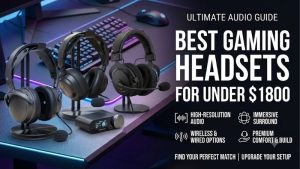
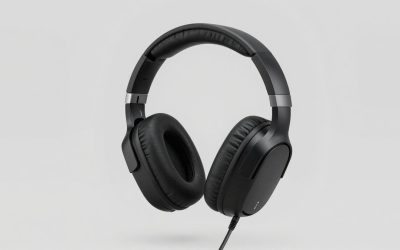
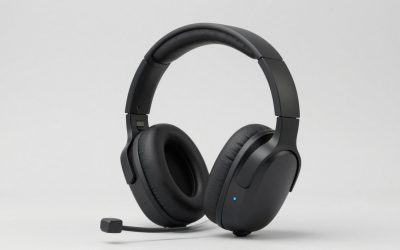
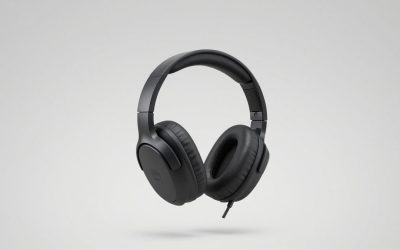
The best gaming headsets for under $4500 cover everything from a wired controller setup to a wireless headset shared across two consoles. The Audeze Maxwell 2 is the strongest all-around pick if you want balanced sound and a clear boom mic and can wear a heavier headset comfortably. If you regularly switch between Xbox and PlayStation, the SteelSeries Arctis Nova Pro Wireless for Xbox makes that routine easier. The HyperX Cloud III Wired covers the essentials with a simple controller connection. Most buyers can settle on a headset after checking three things: their platform, their room noise, and how long they usually play.
Best gaming headsets for under $4500 at a glance
Start with the device you use most and the connection you want on that device. If you want one wireless headset for both major consoles, look at the SteelSeries first. If you play on a single system, the differences that matter more are how the headset fits, how much room noise reaches your ears, and whether you prefer a cable.
| Headset | Best for | Features that matter | Main trade-off |
|---|---|---|---|
| Audeze Maxwell 2 | Best overall for sound and voice chat | Planar magnetic drivers, wireless USB dongle, detachable boom mic | Heavy build and no active noise cancellation on the standard Maxwell 2 |
| SteelSeries Arctis Nova Pro Wireless for Xbox | Switching between Xbox and a second system | Dual USB base station, dedicated Xbox port, swappable batteries | Base station takes up space and needs a cable to each system |
| Razer BlackShark V3 Pro for PC | Wireless play in a noisy room | Active noise cancellation, 2.4 GHz dongle, detachable boom mic | Xbox wireless requires the Xbox edition |
| Logitech G PRO X 2 LIGHTSPEED | PC players who want a choice of ear pads | 2.4 GHz wireless, cloth and leatherette pads, 3.5 mm input | PC software features depend on G HUB |
| beyerdynamic MMX 330 PRO | Open-back listening in a quiet room | Wired analog connection, open earcups, integrated boom mic | Audible leakage and limited isolation |
| HyperX Cloud III Wired | Simple wired play across platforms | 3.5 mm connection, USB adapter, detachable boom mic | Cable stays attached during play and USB support varies by platform |
How we selected the best gaming headsets for under $4500
The shortlist prioritizes a useful mix of connection types and playing environments. Each pick has a clear reason to choose it, such as active noise cancellation for a shared room or direct analog audio for a controller. The $4,500 cap serves as an eligibility limit. The recommendations depend on how well the features solve a buying problem.
Manufacturer listings and support documentation establish connections, features, and platform scope. U.S. retail listings establish the market context for the specified models. Independent testing from RTINGS informs the sound and isolation comparison between the Maxwell 2 and the BlackShark V3 Pro. This roundup is based on published specifications and third-party testing. It includes no first-hand testing.
The headset picks in detail
The most expensive feature to get wrong is the connection. A wireless headset can fit your budget and still leave you plugging into a controller if you buy the wrong edition. The reviews identify the relevant versions and explain what each design adds to a typical setup, from a single PC desk to a console shared with a second system.
Audeze Maxwell 2 — Best overall for sound and voice chat
The standard Maxwell 2 earns the overall spot for its combination of balanced default sound, a capable boom mic, and a dedicated wireless dongle. RTINGS’ comparison with the Razer BlackShark V3 Pro found the Maxwell 2 closer to a balanced sound profile and rated its microphone performance more favorably. Those strengths apply across games with dialogue, music, and team chat.
Its planar magnetic drivers are part of the design. The independent sound comparison is the stronger reason to pick it, since driver type alone tells you little about how voices or effects will sound. The heavy build matters if you are sensitive to pressure across the top of your head. The standard model also lacks active noise cancellation, which matters more if you play near an open window or a loud appliance.
Buy if you want a premium wireless headset for mixed gaming and voice chat, and you’re comfortable with a heavier fit. Skip if isolation is your first priority or headset weight already limits how long you can wear your current pair. Select the Xbox edition for Xbox wireless use and the PlayStation edition for a PlayStation-focused setup.
SteelSeries Arctis Nova Pro Wireless for Xbox — Best for two-system setups
The Xbox edition has a dedicated Xbox USB port and a second flexible USB port on the base station. That second port can connect to a PC or a supported PlayStation console, so both devices can stay wired to the base. This is useful if your Xbox and PS5 share a display, or if you move between PC multiplayer and Xbox games at the same desk.
The headset also uses replaceable battery packs. You can charge one at the base while using the other, which reduces the chance that a low battery forces you to finish a session on a charging cable. Switching USB sources is a different feature from mixing two game feeds. Plan on selecting the system you want to hear through the base.
Buy if you frequently switch between Xbox and one other compatible device and have room for the base station. Skip if you need a headset to move among rooms or primarily play on one device. Confirm the listing says Wireless and for Xbox. The wired and PC editions have their own connection arrangements.
Razer BlackShark V3 Pro for PC — Best for noisy rooms
The PC edition makes sense when noise in the room competes with the game. Its hybrid active noise cancellation and dedicated 2.4 GHz connection address two different problems. The dongle handles the game connection, while ANC reduces part of what reaches your ears from the room. RTINGS found that it isolated noise more effectively than the standard Maxwell 2.
The Razer has a more emphasized bass and treble profile in RTINGS’ comparison. Some players will enjoy that presentation for action games, while others will prefer the Maxwell 2’s more even default balance for dialogue and music. Keep microphone performance separate from ANC when choosing. ANC changes what you hear, while the mic’s behavior determines what your teammates hear.
Buy if you play on PC in a room with steady background noise and want a wireless headset with ANC. Skip if your room is quiet and a more balanced default sound takes precedence. Xbox buyers who want wireless should select the separately sold Xbox edition.
Logitech G PRO X 2 LIGHTSPEED — Best for PC players who want two pad options
The PRO X 2 LIGHTSPEED comes with cloth and leatherette pads, giving you two fit options in the box. That can be more useful than another software preset if you wear glasses, alternate between short matches and long sessions, or simply dislike how one surface feels. Changing pads can also change the seal, so compare them with the same game scene and volume.
The headset offers a dedicated LIGHTSPEED wireless connection, Bluetooth, and 3.5 mm analog input. For a PC desk, start with the LIGHTSPEED adapter as the main game connection. The analog option is useful when a device has a suitable headset jack. If you want Blue VO!CE mic processing, factor in G HUB and the PC setup where you’ll use it.
Buy if you primarily play on PC and want wireless operation with two included pad materials. Skip if the main reason you’re upgrading is Xbox wireless or convenient switching between two consoles. The SteelSeries Xbox model is designed around that two-system routine.
beyerdynamic MMX 330 PRO — Best open-back headset for a quiet room
The MMX 330 PRO is a wired, open-back headset with an integrated boom mic. Its vented earcup design suits a quiet room where you can let sound pass in both directions. It works especially well as a buying option when you want an analog headset with a built-in microphone and already know you like wearing open-back headphones.
Sound leakage is the condition to check before spending money. If you play near someone who is working or sleeping, they may hear parts of your game. You may also hear their conversations or nearby equipment more readily than you would through a closed headset. Check your host device’s jack arrangement too. A controller’s combined headset jack and a desktop’s separate headphone and mic jacks can require different cables or adapters.
Buy if you play in a quiet private room and want open-back listening with an integrated mic. Skip if isolation matters, you share the room, or you want to move around without a cable. The Razer is a better fit when the surrounding noise is what pushed you to shop.
HyperX Cloud III Wired — Best for a straightforward controller connection
The Cloud III Wired is the easiest pick to justify when you want game audio and chat through a compatible controller’s 3.5 mm jack. Its detachable boom mic is useful if you alternate between solo play and multiplayer. The headset can also connect by USB on compatible devices through the included adapter, making it practical for switching between a desktop and a controller.
On Xbox, plan around the supported analog connection. USB support and software features depend on the host, even when retailers list the same headset for several platforms. Also check where the cable will run. A short path to a controller is easy to manage, while a cable stretched across a wide desktop can be inconvenient.
Buy if you want a wired headset for a compatible PC or controller and prefer to avoid charging and pairing. Skip if the cable is the main reason you’re replacing your headset. Pick the specifically labeled Cloud III Wired when following this recommendation.
How to choose a gaming headset with a $4,500 cap
The workable shortlist will narrow quickly once you describe your actual setup. Write down your gaming platform, where you sit, and how you join chat. If you use separate devices for those tasks, check how you expect to hear them. A headset with several connections may still require you to switch sources, depending on the model.
Check the signal path all the way to voice chat
Look for explicit support for your console and your intended connection. A listing can mention Xbox and USB without promising that its USB dongle works wirelessly on Xbox. If you plug into a controller, confirm that the controller has a compatible headset jack and that the connection carries microphone input as well as game audio.
Use the same approach if you play on a desktop with separate analog input and output jacks. Find out whether you need a splitter before buying. If you typically listen to audio from a console while using Discord on your phone, check for simultaneous audio on the exact headset edition. Support for Bluetooth and 2.4 GHz wireless on the same spec sheet only confirms that both connection options exist.
Judge comfort over the length of a real session
Weight is a useful starting point. Pad depth, clamp, and how the headband distributes pressure can matter just as much over a long raid or a night of ranked matches. If you wear glasses, try the headset with your usual frames. Even a small change in how the pads seal around the temples can affect both fit and sound.
If you can try the headset during a return window, use it for a normal-length gaming session at your usual desk or couch. Pay attention to when you first need to shift it, loosen it, or take it off. Also check where the controls sit. A mute button you can find by touch is handy if you regularly step away from team chat.
Pay for a feature you can describe in one sentence
A base station earns its place when two devices stay connected and you switch often. ANC makes sense when a fan, air conditioner, or traffic interferes with your games. A swappable battery matters when you play long enough to run down a charge or regularly forget to plug the headset in. These are different reasons to spend more, and most setups only call for one or two of them.
If you already own headphones you enjoy and play at a fixed PC desk, compare a separate microphone with a new gaming headset. The separate mic adds desk hardware and may be inconvenient for couch play, but it lets you keep your existing headphones. For a shared TV, an integrated headset keeps the controls and microphone with you when you move.
Frequently asked questions
Check which problem you’re trying to solve before paying for an upgrade. Talk to a teammate if the issue is voice clarity, check the game’s audio settings if directional cues feel unclear, and confirm which devices need to stay connected. A different headset can help once you know where the problem starts.
Do I need a surround-sound headset for competitive games?
Stereo is a sensible starting point. Many games use their own headphone audio or spatial processing to place sounds around the player. If the game has a dedicated headphone setting, try it with the headset’s virtual surround mode off first. Then compare both configurations in a familiar practice area. Focus on whether you can consistently tell front from back and near from far.
Can I share one wireless headset between Xbox and PS5?
Yes. The Arctis Nova Pro Wireless for Xbox is a direct fit when you can connect both consoles to the same base station. Run the Xbox to the dedicated Xbox port and the PS5 to the flexible USB port. Switch the base’s input when you change consoles. That arrangement depends on buying the Xbox wireless edition and having both consoles close enough to cable to the base.
Will active noise cancellation make my voice clearer to teammates?
Active noise cancellation controls some of the room sound that reaches your ears. Your teammates hear the signal captured by the boom mic, including any noise it picks up. If outgoing chat is the problem, check mic position, input level, and any noise suppression your game or chat app applies. Test a short recording while your usual fan or keyboard is running.
Conclusion
Choose the Audeze Maxwell 2 if balanced sound and voice chat are your priorities and its weight feels comfortable. Pick the SteelSeries Arctis Nova Pro Wireless for Xbox if you switch regularly between Xbox and a second compatible system. The Razer BlackShark V3 Pro for PC makes more sense when room noise interrupts your games. If a cable to your controller suits the way you play, start with the HyperX Cloud III Wired. Confirm the exact edition and connection before checking out, especially if you want wireless audio and chat on Xbox.
More from Amazon
Programs that pair well with the guide above. Offers and eligibility are set by Amazon and may change.
Set up recurring deliveries of everyday items on eligible products. Terms and savings are set by Amazon.
Explore Subscribe & SaveFree shipping on eligible items, Prime Video and more. Eligible new members can start with a free trial.
Start a Prime free trialA Prime membership for ages 18-24 with a trial period. Eligibility is set by Amazon.
See Prime for Young AdultsAudiobooks and podcasts to listen to on the go. Eligible new members can start with a free trial.
Try Audible freeAs an Amazon Associate we earn from qualifying purchases.