Key takeaways
- Switch mechanism: Mechanical boards use an individual spring-loaded switch under every key, while membrane designs press a rubber dome onto a printed circuit sheet shared across the whole board.
- Feel and consistency: Mechanical keys actuate at a fixed point with identical force across the board; membrane domes require bottoming out and soften unevenly as the rubber ages.
- Durability: Quality mechanical switches are rated for 50–100 million presses per key. Membrane domes typically top out around 5–10 million and degrade gradually rather than failing outright.
- Repairability: Hot-swap mechanical boards let you pull and replace a dead or scratchy switch in seconds. A failing membrane sheet effectively means replacing the keyboard.
- Noise profile: Membrane is inherently quiet. Mechanical ranges from the clacky tactile Blue switches in the Redragon K580 to the pre-lubed quiet linears in the RK R104 — you choose your volume.
- Price and value: Membrane still wins on raw entry cost, but the mechanical premium in 2026 is often marginal once you factor in PBT keycaps, RGB and multi-year lifespan.
Walk into any 2026 gaming setup and the keyboard is usually the loudest thing in the room — literally. The mechanical versus membrane debate has been running for over a decade, but the landscape has shifted dramatically. Mechanical boards that once demanded a serious premium now arrive pre-lubed, gasket-mounted and hot-swappable at entry-level prices, while membrane designs have quietly refined themselves into something far better than the mushy office slabs people remember. The gap in price has narrowed; the gap in feel has not.
Choosing between them matters more than most peripheral decisions because your keyboard is the input device you touch for every single hour of play, work and typing in between. Actuation force, key travel, acoustics, durability and repairability all flow from that one architectural choice. Below we break down how mechanical and membrane keyboards actually differ in 2026, which real-world models represent each camp best, and how to pick the one that suits your desk, your games and your budget.
Our top picks
 Redragon Mechanical Gaming Keyboard Wired
- Brilliant Color Illumination- With 11 unique backlights, choose…
- Support Macro Editing: The K671 Mechanical Gaming Keyboard…
- Hot-swappable Linear Red Switch- Our K671 gaming keyboard…
 Redragon K580 Wired RGB Mechanical Gaming Keyboard
- Record Combos On the Fly, No Software Required…
- Swap Switches Without Soldering, Hype Clicky Feedback -…
- Built to Outlast Daily Gaming - Rated for…
 RK ROYAL KLUDGE R104 Wired Mechanical Keyboard
- Dedicated Win/Mac Switch for Seamless Workflow: Switch instantly…
- Gasket Mount Comfort Meets Full-Size Productivity: Built with…
- Custom Keyboard with Premium PBT Keycaps: The R104…
| Product | Key specs | |
|---|---|---|
| Redragon Mechanical Gaming Keyboard Wired | Brilliant Color Illumination- With 11 unique backlights, choose… Support Macro Editing: The K671 Mechanical Gaming Keyboard… Hot-swappable Linear Red Switch- Our K671 gaming keyboard… | Check price |
| Redragon K580 Wired RGB Mechanical Gaming Keyboard | Record Combos On the Fly, No Software Required… Swap Switches Without Soldering, Hype Clicky Feedback -… Built to Outlast Daily Gaming - Rated for… | Check price |
| RK ROYAL KLUDGE R104 Wired Mechanical Keyboard | Dedicated Win/Mac Switch for Seamless Workflow: Switch instantly… Gasket Mount Comfort Meets Full-Size Productivity: Built with… Custom Keyboard with Premium PBT Keycaps: The R104… | Check price |
 AULA F75 Pro Wireless Mechanical Keyboard AULA F75 Pro Wireless Mechanical Keyboard | Tri-mode Connection Keyboard: AULA F75 Pro wireless mechanical… Hot-swap Custom Keyboard: This custom mechanical keyboard with… Advanced Structure and PCB Single Key Slotting: This… | Check price |
 Logitech G413 SE Full-Size Mechanical Gaming Keyboard Logitech G413 SE Full-Size Mechanical Gaming Keyboard | Take your gaming skills to the next level:… PBT keycaps: Heat- and wear-resistant, this computer gaming… Tactile mechanical switches: Uncompromising performance is always within… | Check price |
 Logitech G213 Prodigy Wired RGB Gaming Keyboard Logitech G213 Prodigy Wired RGB Gaming Keyboard | Personalize 5 customizable lighting zones with over 16.8M… G213 Prodigy is a full-sized keyboard designed for… Each key is tuned to enhance the tactile… | Check price |
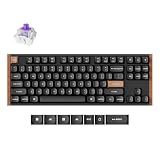
 Keychron K8 Ultra 8K Wireless Mechanical Keyboard Keychron K8 Ultra 8K Wireless Mechanical Keyboard | 8000Hz Polling Rate for Fast Response 80% TKL Layout for Work and Gaming Triple Connectivity with Long Battery Life | Check price |
 SteelSeries USB Apex 5 Hybrid Mechanical Gaming SteelSeries USB Apex 5 Hybrid Mechanical Gaming | Hybrid blue mechanical gaming switches OLED smart display Aircraft-grade aluminum alloy frame | Check price |
As an Amazon Associate we earn from qualifying purchases at no extra cost to you.
⚡ Save on Your Next PC — Amazon Prime
Prime members get fast free shipping on the systems above, plus early access to Prime Day & Black Friday PC deals. New members get a 30-day free trial.
Watch: Mechanical vs Membrane Keyboard: 2026 Guide — Video Review
Quick Verdict
Mechanical keyboards are the right call for the vast majority of gamers in 2026 — they offer faster, more consistent actuation, dramatically longer lifespans, and switch options that let you tune feel and noise to taste, with boards like the RK ROYAL KLUDGE R104 and AULA F75 Pro delivering enthusiast features at mainstream prices. Membrane keyboards, best represented by the Logitech G213 Prodigy, remain the smarter buy if you need near-silent operation, spill resistance, a built-in palm rest and the lowest possible cost of entry for a full-size RGB board.
Key Differences
- Switch mechanism: Mechanical boards use an individual spring-loaded switch under every key, while membrane designs press a rubber dome onto a printed circuit sheet shared across the whole board.
- Feel and consistency: Mechanical keys actuate at a fixed point with identical force across the board; membrane domes require bottoming out and soften unevenly as the rubber ages.
- Durability: Quality mechanical switches are rated for 50–100 million presses per key. Membrane domes typically top out around 5–10 million and degrade gradually rather than failing outright.
- Repairability: Hot-swap mechanical boards let you pull and replace a dead or scratchy switch in seconds. A failing membrane sheet effectively means replacing the keyboard.
- Noise profile: Membrane is inherently quiet. Mechanical ranges from the clacky tactile Blue switches in the Redragon K580 to the pre-lubed quiet linears in the RK R104 — you choose your volume.
- Price and value: Membrane still wins on raw entry cost, but the mechanical premium in 2026 is often marginal once you factor in PBT keycaps, RGB and multi-year lifespan.
Mechanical Keyboards
The core advantage is precision. Because each switch actuates partway through its travel rather than at the bottom, you can register inputs faster and with less finger fatigue — meaningful in competitive shooters where counter-strafing and rapid re-taps are constant. Linear switches like the pre-lubed Reaper units in the AULA F75 Pro or the quiet linears in the RK R104 give smooth, uninterrupted travel for gaming, while tactile Blues in the Redragon K580 provide a pronounced bump and audible click that many typists prefer. Anti-ghosting and full N-key rollover are standard, so complex simultaneous inputs register reliably.
Build quality has also improved sharply. Double-shot PBT keycaps — found on the hot-swappable Redragon wired board, the R104 and the F75 Pro — resist the greasy shine that plagues cheap ABS caps. Gasket mounting on the R104 softens the typing sound and impact, while the F75 Pro adds a control knob and 2.4GHz, Bluetooth 5.0 and USB-C connectivity in a compact 75% layout. If you want something simpler and more restrained, the Logitech G413 SE pairs a brushed aluminium top plate with clean white backlighting and no software fuss. The K580 rounds things out with dedicated macro keys and a media wheel for MMO and MOBA players.
Membrane Keyboards
Membrane is not the compromise it once was. The Logitech G213 Prodigy uses Mech-Dome keys, a hybrid profile designed to mimic mechanical travel and actuation while retaining the quiet, cushioned feel of a dome. For shared spaces, dorm rooms, open-plan offices or late-night sessions next to a sleeping partner, that acoustic difference is genuinely valuable — no amount of switch lubing makes a mechanical board as unobtrusive.
Practical extras matter too. The G213 includes a fixed palm rest, dedicated media controls, adjustable feet and five-zone LIGHTSYNC RGB, plus spill resistance that mechanical boards rarely match. It is heavier and more stable on the desk than its price suggests. The trade-offs are real: you must bottom out every keystroke, the feel gradually softens over years of use, and there is no path to customisation — no switch swaps, no keycap upgrades that meaningfully change the experience. For casual and mixed-use setups, that is often an acceptable exchange.
Which Should You Buy?
- For competitive FPS play: pick a linear mechanical board — the RK ROYAL KLUDGE R104 for full-size, or the AULA F75 Pro if you want desk space for wide mouse sweeps.
- For MMO, MOBA and productivity: pick the Redragon K580 for its onboard macro keys, media wheel and tactile feedback.
- For quiet shared spaces: pick the Logitech G213 Prodigy, or the pre-lubed quiet linears of the R104 if you still want mechanical.
- For tinkerers and future upgrades: pick a hot-swappable board like the Redragon wired mechanical or the AULA F75 Pro so switches can be changed without soldering.
- For a no-nonsense first mechanical: pick the Logitech G413 SE — aluminium build, plug-and-play, no software required.
Frequently Asked Questions
Are mechanical keyboards actually faster for gaming?
Marginally, yes. Mechanical switches actuate before the key bottoms out, shaving a few milliseconds per press and allowing quicker repeat inputs. The larger benefit is consistency — every key behaves identically, so your muscle memory stays reliable across long sessions.
Which mechanical switch type should a beginner choose?
Linear switches (typically red) are the safest starting point for gaming: smooth, quiet and fatigue-free. Choose tactile Blues, like those in the Redragon K580, if you type a lot and enjoy audible, clicky feedback and noise is not a concern.
Is a membrane keyboard bad for competitive gaming?
No. Plenty of players compete successfully on membrane boards, and the G213’s anti-ghosting handles typical gaming key combinations fine. You lose some speed and long-term consistency, but skill and reaction time matter far more than switch architecture.
Does hot-swappable really matter?
It does if you plan to keep the board for years. Hot-swap sockets let you replace a failed switch or change the entire feel of the keyboard for a small outlay, rather than buying a new one — a genuine value multiplier on boards like the AULA F75 Pro.
Final Verdict
In 2026, mechanical is the default recommendation: the price gap has closed, hot-swap sockets and PBT keycaps have trickled down to budget models, and the durability advantage is measured in years rather than months — the RK ROYAL KLUDGE R104, AULA F75 Pro and Logitech G413 SE all make strong cases at different price points. Membrane still earns its place, and the Logitech G213 Prodigy remains the sensible pick if silence, spill resistance and a comfortable palm rest matter more to you than switch feel and upgradability.