Key takeaways
- For system speed: An SSD delivers faster boots, quicker launches, and shorter load times, making it the priority upgrade.
- For cheap bulk storage: An HDD like the WD Blue Mobile provides the most capacity per dollar for backups and media.
- For gaming: An SSD such as the Samsung 870 EVO minimizes loading waits and texture stutter.
- For a value upgrade: An affordable SSD like the KingSpec or Kingston A400 revives an aging laptop or desktop for little money.
- For a hybrid setup: Pair an SSD for your OS and games with an HDD for everything you rarely touch.
When people ask about SSD versus HDD, they are really asking whether to prioritize blazing speed or generous, cheap capacity. A solid state drive uses flash memory to make your PC feel instant, while a hard disk drive stores far more data for the money using spinning platters. Both still have a place in a well-planned system, and knowing where each excels helps you spend your budget where it counts.
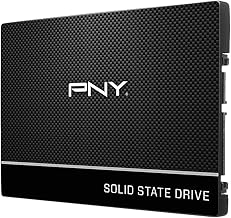
This comparison stays grounded in drives you can actually buy today, from SSD upgrade favorites like the Samsung 870 EVO, Kingston A400, and PNY CS900 to a proper mechanical option in the WD Blue Mobile HDD. Seeing a real HDD lined up against modern flash storage makes the trade-offs impossible to miss.
Our top picks


As an Amazon Associate we earn from qualifying purchases at no extra cost to you. Ratings are shown as listed on Amazon.
🎮 Get More From Your Setup — Free
Prime Gaming gives you free PC games every month, in-game loot, and a free Twitch channel sub — plus fast free shipping on all the gear above. New members get a 30-day free trial.
Watch: Ssd Hard Drive Vs Hdd: Full Comparison — Video Review
Quick Verdict
An SSD is the clear pick for your operating system, apps, and games because of its huge responsiveness advantage. An HDD like the WD Blue Mobile remains valuable as low-cost, high-capacity storage for backups and media. For many builds, the smart move is an SSD boot drive plus an HDD for bulk files.
Solid State Drives (SSD)
An SSD stores data on flash memory chips with no moving parts, so information is retrieved almost instantly. SATA drives like the Samsung 870 EVO and Kingston A400 reach around 560MB/s read speeds, turning slow boots and long load screens into a thing of the past.
Beyond speed, SSDs are silent, energy-efficient, and resistant to physical shock, which makes drives like the Fikwot FX815 and PNY CS900 great choices for both desktops and laptops. Value-oriented models such as the KingSpec 1TB make it affordable to give every machine in your home a flash upgrade.
Hard Disk Drives (HDD)
A hard disk drive writes data to magnetic platters spun by a motor, with a mechanical arm doing the reading. The WD Blue Mobile HDD shows the format’s strength: lots of storage at a very low price, ideal for archives, video collections, and files you access infrequently.
The downside is speed. Because the drive must physically move to locate data, an HDD feels sluggish next to an SSD for booting and loading. The spinning mechanism is also more prone to damage from drops and can be slightly audible during heavy read and write activity.
Head-to-Head: Which Should You Buy?
- For system speed: An SSD delivers faster boots, quicker launches, and shorter load times, making it the priority upgrade.
- For cheap bulk storage: An HDD like the WD Blue Mobile provides the most capacity per dollar for backups and media.
- For gaming: An SSD such as the Samsung 870 EVO minimizes loading waits and texture stutter.
- For a value upgrade: An affordable SSD like the KingSpec or Kingston A400 revives an aging laptop or desktop for little money.
- For a hybrid setup: Pair an SSD for your OS and games with an HDD for everything you rarely touch.
Frequently Asked Questions
Is an SSD always better than an HDD?
For speed and responsiveness, yes, an SSD wins clearly. But an HDD is better if your goal is maximum storage capacity at the lowest cost, so the best drive depends on the job.
Can I run an SSD and HDD in the same PC?
Definitely. Most desktops and many laptops support both, letting you keep the OS and games on the SSD for speed and use the HDD for large backups and archives.
How long do these drives last?
Both are reliable for years under normal use. SSDs have write-cycle limits that rarely matter for everyday tasks, while HDDs can eventually wear mechanically, which is why regular backups are wise.
Which is better for a laptop?
An SSD is the better laptop choice because it is shock-resistant, silent, and easier on the battery. The WD Blue Mobile HDD suits laptops only when huge cheap capacity outweighs speed.
Final Verdict
For the drive you depend on daily, the SSD is the winner without question. Models like the Samsung 870 EVO, Kingston A400, and PNY CS900 provide a speed leap that a mechanical HDD cannot approach. Keep an HDD like the WD Blue Mobile around for affordable bulk storage, and let the SSD handle your OS, games, and everything you open often.