Key takeaways
- 1080p, 60–144Hz: A Ryzen 5 9600X or comparable six-core processor is sufficient for an RTX 4070 Super. Avoid spending on a flagship CPU unless you plan a future GPU upgrade.
- 1080p, 240–360Hz: Choose the Ryzen 7 9800X3D, especially for competitive shooters and esports titles. CPU frame-time consistency matters more than average FPS alone.
- 1440p, 144–165Hz: The Ryzen 5 9600X is a sensible value match for an RTX 4070 Super; move to a Ryzen 7 9700X or 9800X3D for a 4070 Ti Super or faster card.
- 1440p ultrawide: Use a Ryzen 7 9700X or 9800X3D. The wider resolution places more demand on the GPU, but CPU-heavy games can still benefit from extra cache.
- 4K, 120Hz or higher: A Ryzen 7 9700X is generally adequate, while the 9800X3D is the safer premium option for demanding games and future upgrades.
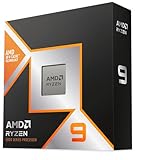
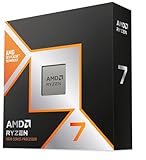
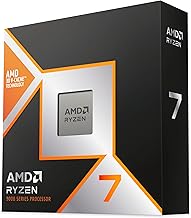
The best CPU for RTX Super graphics cards in 2026 is the AMD Ryzen 7 9800X3D for most gaming PCs, while a Ryzen 5 9600X is the better-value match for an RTX 4070 Super and a Ryzen 7 7800X3D remains a sensible lower-cost upgrade if you already own an AM5 motherboard.
There is no single “best” pairing for every RTX Super model. Resolution, refresh rate, game type, platform cost, and how long you want to keep the system all matter. At 1440p and 4K, the graphics card usually limits frame rate first; at 1080p with a 240Hz or 360Hz monitor, the CPU becomes much more important.

Corsair Vengeance i5100 Gaming PC – Liquid Cooled Intel Core i9-14900KF CPU – NVIDIA GeForce RTX 4080 Super GPU – 32GB Dominator Titanium RGB DDR5 Memory – 2TB M.2 SSD – Black/Gray
Included for 'Best CPU for RTX Super GPUs in 2026' because the listing specifies Liquid Cooled Intel Core i9-14900KF CPU and NVIDIA GeForce RTX 4080 Super GPU, details this guide uses to compare options.
View on Amazon
Skytech Gaming King 95 Gaming PC, AMD Ryzen 7 7700 3.8GHz, NVIDIA RTX 4070 Super 12GB, 1TB NVMe SSD, 16GB DDR5 RAM 6000, 750W Gold PSU, Wi-Fi, Win 11, Desktop
Included for 'Best CPU for RTX Super GPUs in 2026' because the listing specifies AMD Ryzen 7 7700 3.8GHz and NVIDIA RTX 4070 Super 12GB, details this guide uses to compare options.
View on Amazon
STGAubron Gaming PC Desktop,R5 5500,RTX 2060 Super 8G,16G DDR4,1T SSD
Included for 'Best CPU for RTX Super GPUs in 2026' because the listing specifies R5 5500 and RTX 2060 Super 8G, details this guide uses to compare options.
View on Amazon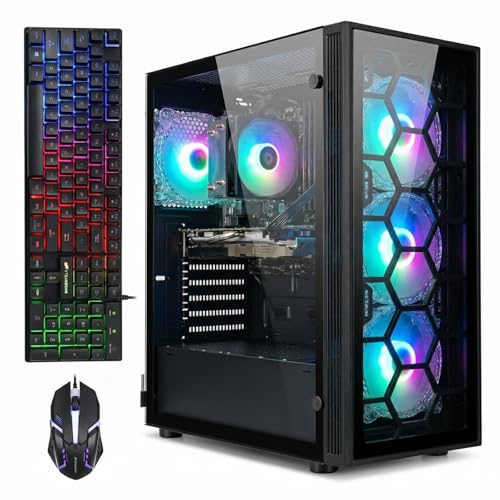
STGAubron Gaming PC Desktop,Core I7,RTX 2060 Super 8G,32G RAM,1TB SSD
Included for 'Best CPU for RTX Super GPUs in 2026' because the listing specifies Core I7 and RTX 2060 Super 8G, details this guide uses to compare options.
View on AmazonBest CPU for each RTX Super GPU
| RTX Super GPU | Best value CPU | Best gaming CPU | Recommended resolution | CPU bottleneck risk |
|---|---|---|---|---|
| RTX 4070 Super | Ryzen 5 9600X | Ryzen 7 9800X3D | 1440p | Low at 1440p; moderate at 1080p high refresh |
| RTX 4070 Ti Super | Ryzen 7 7700 or Ryzen 7 9700X | Ryzen 7 9800X3D | 1440p ultrawide or entry-level 4K | Low at 1440p and 4K |
| RTX 4080 Super | Ryzen 7 9700X | Ryzen 7 9800X3D | 4K | Low at 4K; moderate in competitive 1080p gaming |
These recommendations assume a dedicated gaming PC rather than a workstation that spends much of its time rendering, editing video, or compiling software. They also assume you are buying a current-generation graphics card rather than trying to eliminate every possible frame-time difference in benchmark charts.
Why the Ryzen 7 9800X3D is the safest high-end choice
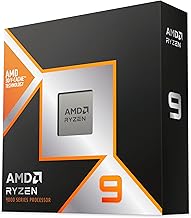
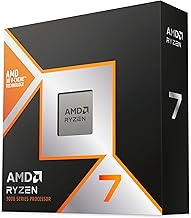
The Ryzen 7 9800X3D combines eight Zen 5 cores with AMD’s large 3D V-Cache, making it particularly strong in games that depend on fast frame delivery and large CPU-side data sets. It is an excellent fit for an RTX 4070 Ti Super or RTX 4080 Super when you use a 240Hz display, play simulation games, or want a large margin for future graphics-card upgrades.
Its main advantage is not that it makes every 4K game dramatically faster. At 4K, the GPU often determines the result. The advantage is lower risk in CPU-heavy games, better minimum frame rates, and less need to replace the processor when a faster graphics card arrives later.
A complete 9800X3D platform normally requires an AM5 motherboard and DDR5 memory. Depending on the board, memory capacity, cooler, and power supply, the CPU portion of a new build commonly lands around $500–$800 before the graphics card. A quality air cooler is usually sufficient; you do not need an expensive liquid cooler solely for gaming.
Best value: Ryzen 5 9600X with RTX 4070 Super
For a standard 1440p gaming computer, the Ryzen 5 9600X is a more rational match for the RTX 4070 Super than an expensive eight- or twelve-core processor. Its six Zen 5 cores provide strong gaming performance, and the GPU is normally the limiting component once demanding visual settings are enabled.
Choose this pairing if your monitor is 1440p at 144Hz or 165Hz, you play mostly single-player games, or you prefer putting extra money into a larger SSD, better cooling, or a more comfortable desk and chair. The platform also gives you an upgrade path to later AM5 processors.
The limitation appears at 1080p high refresh. Competitive games running at several hundred frames per second can expose a larger difference between a six-core mainstream CPU and a cache-heavy eight-core model. That does not make the 9600X a poor choice; it means the monitor and game determine whether the extra CPU money is visible.
RTX 4070 Ti Super: the balanced middle ground
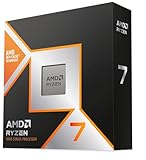
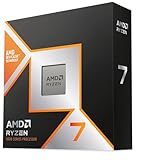
The RTX 4070 Ti Super is well suited to 1440p ultrawide and 4K gaming with upscaling. Pair it with a Ryzen 7 9700X if you want eight modern cores without paying specifically for maximum gaming performance. Pair it with the Ryzen 7 9800X3D if you use a 240Hz monitor, stream while gaming, or play CPU-heavy titles such as large strategy, simulation, and massively multiplayer games.
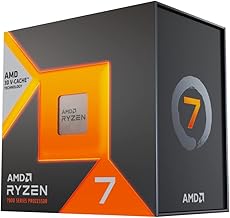
The older Ryzen 7 7800X3D can also make sense when its total platform price is substantially lower. It remains a strong gaming processor, but compare the cost of the CPU, motherboard, and memory together. Saving a small amount on an older processor is less attractive if a newer AM5 option provides better efficiency or a longer upgrade runway at nearly the same price.
RTX 4080 Super: prioritize 4K balance, not excessive CPU spending
For an RTX 4080 Super, the Ryzen 7 9800X3D is the premium gaming choice, but a Ryzen 7 9700X is usually enough for 4K at 120Hz. At this resolution, increasing CPU spending often produces less benefit than choosing a faster monitor, a stronger power supply, a larger case, or storage for large game installations.
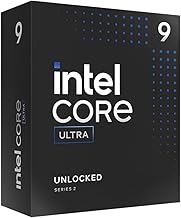
Intel’s Core Ultra 7 265K is another reasonable option for an RTX 4080 Super, especially if you also perform productivity work. Compare the entire platform rather than CPU labels: motherboard pricing, memory support, cooler requirements, power use, and whether you expect to upgrade the processor later can outweigh small gaming differences.
AMD versus Intel: platform cost and longevity
| Platform choice | Typical CPU range | Typical motherboard range | Best for | Longevity consideration |
|---|---|---|---|---|
| AM5 six-core | $180–$300 | $140–$250 | Value 1440p systems | Strong upgrade path; DDR5 required |
| AM5 eight-core X3D | $350–$500 | $160–$300 | High-refresh gaming | Excellent gaming lifespan and future CPU options |
| Intel Core Ultra 7 | $350–$450 | $180–$350 | Gaming plus productivity | Check socket-generation support before planning upgrades |
AM5 is usually the easier platform to recommend for a new gaming build because it uses DDR5 and has a clearer multi-generation upgrade strategy. Intel can still be the better purchase when a particular processor and motherboard bundle is discounted or when your workload benefits from its core configuration and media features.
Choose by resolution and refresh rate
- 1080p, 60–144Hz: A Ryzen 5 9600X or comparable six-core processor is sufficient for an RTX 4070 Super. Avoid spending on a flagship CPU unless you plan a future GPU upgrade.
- 1080p, 240–360Hz: Choose the Ryzen 7 9800X3D, especially for competitive shooters and esports titles. CPU frame-time consistency matters more than average FPS alone.
- 1440p, 144–165Hz: The Ryzen 5 9600X is a sensible value match for an RTX 4070 Super; move to a Ryzen 7 9700X or 9800X3D for a 4070 Ti Super or faster card.
- 1440p ultrawide: Use a Ryzen 7 9700X or 9800X3D. The wider resolution places more demand on the GPU, but CPU-heavy games can still benefit from extra cache.
- 4K, 120Hz or higher: A Ryzen 7 9700X is generally adequate, while the 9800X3D is the safer premium option for demanding games and future upgrades.
Situations that change the recommendation
| Your situation | Best direction | Reason |
|---|---|---|
| Small apartment or shared room | 9600X with RTX 4070 Super | Lower total cost and easier-to-cool hardware can reduce fan noise |
| Streaming, recording, and gaming together | 9700X or 9800X3D | More CPU headroom reduces background-task interference |
| Simulation and strategy games | 9800X3D | Large cache and strong game-thread performance help late-game turns and crowded scenes |
| Planning to keep the PC five years | 9800X3D on AM5 | Higher initial cost can delay a CPU replacement |
| Already own an AM5 motherboard | Upgrade CPU first | Reusing the board and DDR5 memory can make an eight-core upgrade cost-effective |
Check the whole build before buying
Do not treat the CPU as an isolated purchase. A 9800X3D system should use a reputable 650W–850W power supply depending on the graphics card and other components; an RTX 4080 Super build commonly benefits from an 850W unit with the appropriate modern GPU power connector. Confirm that the case supports the graphics card’s length and thickness, because many high-end cards occupy three or more expansion slots.
Cooling and desk placement also affect the experience. Leave roughly 75–100 mm of unobstructed space around the PC’s main intake area, avoid trapping it inside a closed cabinet, and keep the rear exhaust at least several inches from a wall. In a 10-by-12-foot room, a quiet air-cooled system positioned beside—not directly under—a desk is usually more comfortable than a hot, poorly ventilated tower.
Final buying verdict
Buy the Ryzen 5 9600X for the best-value RTX 4070 Super build, the Ryzen 7 9700X for a balanced RTX 4070 Ti Super or RTX 4080 Super system, and the Ryzen 7 9800X3D when you want the lowest CPU bottleneck risk, high-refresh performance, or the strongest long-term gaming platform. At 4K, do not sacrifice monitor quality, power-supply reliability, or case airflow merely to move from a capable Ryzen 7 to the flagship gaming CPU.