Key takeaways
- Core architecture: The 285K uses a hybrid 8P + 16E layout with 24 threads (no hyperthreading); the 9950X3D runs 16 uniform Zen 5 cores with 32 threads.
- Cache: Intel provides 36 MB of Smart Cache. AMD stacks 3D V-Cache for 128 MB of total L3 — the single biggest reason it wins so many game benchmarks.
- Power and heat: Intel’s flagship pulls significantly more under sustained all-core load and wants a 360 mm AIO. The 9950X3D runs cooler and is friendlier to air cooling.
- Platform longevity: AM5 has a long, publicly committed lifespan. LGA 1851 is a narrower window, so factor in whether you plan a drop-in CPU upgrade later.
- Productivity mix: Intel’s E-core count pays off in embarrassingly parallel work and background tasks; AMD’s higher thread count and stronger per-core throughput favour rendering and code compilation.
- Integrated graphics: The Core Ultra series ships a genuinely usable iGPU with modern media encode blocks — handy for troubleshooting or a secondary encode path.
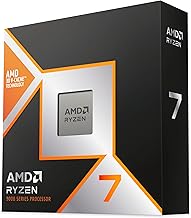
Choosing a flagship CPU in 2026 comes down to two very different philosophies. Intel’s Core Ultra 9 285K throws 24 physical cores at the problem — 8 performance cores and 16 efficiency cores, boosting to 5.7 GHz — on the LGA 1851 platform. AMD’s Ryzen 9 9950X3D counters with 16 cores, 32 threads, and a stack of 3D V-Cache bolted onto one of its core complexes, a design that has quietly dominated gaming benchmarks since launch.
The decision matters more now than it did a generation ago. Both chips are fast enough that at 1440p and 4K with a high-end GPU you’ll often be graphics-limited anyway. Where they diverge is in the corners: competitive esports frame rates, heavily threaded content work, platform upgrade paths, and how much power your case and cooler can realistically dissipate. Below is a straight comparison, with the strongest buying options for each side.
Our top picks
 Intel Core™ Ultra 9 Processor 285K 24
- Get ultra-efficient with Intel Core Ultra desktop processors…
- Core and Threads 24 cores (8 P-cores plus…
- Performance Hybrid Architecture Integrates two core microarchitectures, prioritizing…
 Micro Center CPU Motherboard Combo
- Get ultra-efficient with Intel Core Ultra desktop processors…
- Core and Threads 24 cores (8 P-cores plus…
- Performance Unlocked Up to 5.7 GHz unlocked
 Intel Core™ Ultra 9 Desktop Processor 285
- 24 cores (8 P-cores + 16 E-cores) and…
- Performance hybrid architecture integrates two core microarchitectures, prioritizing…
- Up to 5.6 GHz
| Product | Key specs | |
|---|---|---|
| Intel Core™ Ultra 9 Processor 285K 24 | Get ultra-efficient with Intel Core Ultra desktop processors… Core and Threads 24 cores (8 P-cores plus… Performance Hybrid Architecture Integrates two core microarchitectures, prioritizing… | Check price |
| Micro Center CPU Motherboard Combo | Get ultra-efficient with Intel Core Ultra desktop processors… Core and Threads 24 cores (8 P-cores plus… Performance Unlocked Up to 5.7 GHz unlocked | Check price |
| Intel Core™ Ultra 9 Desktop Processor 285 | 24 cores (8 P-cores + 16 E-cores) and… Performance hybrid architecture integrates two core microarchitectures, prioritizing… Up to 5.6 GHz | Check price |
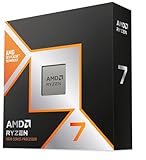
 Intel Core™ Ultra 7 Processor 270K Plus Intel Core™ Ultra 7 Processor 270K Plus | Next‑Gen Platform Support: Compatible with Intel 800 Series… High‑Performance Core Configuration: Features up to 24 cores… Ultra‑Fast Boost Clocks: Reaches up to 5.5 GHz… | Check price |
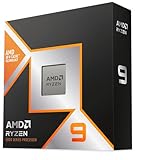
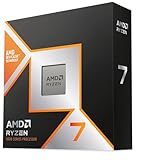
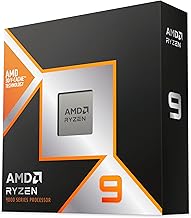
 AMD Ryzen 9 9950X3D 16-Core Processor AMD Ryzen 9 9950X3D 16-Core Processor | AMD Ryzen 9 9950X3D Gaming and Content Creation… Max Form Factor: Desktops , Boxed Processor | Check price |
 Intel Core™ i7-14700K New Gaming Desktop Processor Intel Core™ i7-14700K New Gaming Desktop Processor | Intel Core Ultra 9 285K processor 36MB Level 3 cache Chipset compatibility | Check price |
 Intel Core™ i9-14900K Desktop Processor 24 cores Intel Core™ i9-14900K Desktop Processor 24 cores | Check price | |
 Intel Core™ Ultra 7 Desktop Processor 265 Intel Core™ Ultra 7 Desktop Processor 265 | 20 cores (8 P-cores + 12 E-cores) and… Performance hybrid architecture integrates two core microarchitectures, prioritizing… Up to 5.3 GHz | Check price |
As an Amazon Associate we earn from qualifying purchases at no extra cost to you.
⚡ Save on Your Next PC — Amazon Prime
Prime members get fast free shipping on the systems above, plus early access to Prime Day & Black Friday PC deals. New members get a 30-day free trial.
Watch: Intel Core Ultra 9 vs Ryzen 9: 2026 Battle — Video Review
Quick Verdict
Buy the Ryzen 9 9950X3D if gaming is your primary workload and you want the highest, most consistent frame rates without babysitting power limits — it’s the safer default for a pure gaming build. Buy the Core Ultra 9 285K if you stream, render, compile, or edit alongside gaming, want quicksync-class media acceleration, or you’re eyeing a bundled deal like the Micro Center 285K + TUF Gaming Z890-Plus WiFi combo that undercuts a piecemeal AMD build.
Key Differences
- Core architecture: The 285K uses a hybrid 8P + 16E layout with 24 threads (no hyperthreading); the 9950X3D runs 16 uniform Zen 5 cores with 32 threads.
- Cache: Intel provides 36 MB of Smart Cache. AMD stacks 3D V-Cache for 128 MB of total L3 — the single biggest reason it wins so many game benchmarks.
- Power and heat: Intel’s flagship pulls significantly more under sustained all-core load and wants a 360 mm AIO. The 9950X3D runs cooler and is friendlier to air cooling.
- Platform longevity: AM5 has a long, publicly committed lifespan. LGA 1851 is a narrower window, so factor in whether you plan a drop-in CPU upgrade later.
- Productivity mix: Intel’s E-core count pays off in embarrassingly parallel work and background tasks; AMD’s higher thread count and stronger per-core throughput favour rendering and code compilation.
- Integrated graphics: The Core Ultra series ships a genuinely usable iGPU with modern media encode blocks — handy for troubleshooting or a secondary encode path.
Intel Core Ultra 9 285K
The Ultra 9 285K is Intel’s most complete desktop chip in years. Twenty-four cores at up to 5.7 GHz means it chews through timeline exports, Blender scenes, and multi-container workloads while a game runs on the P-cores. Windows’ thread director has matured considerably, so the old hybrid scheduling headaches are largely behind us. Pair it with DDR5-6400 or faster on a Z890 board and you have a machine that never feels like it’s queuing work.
Its weakness is gaming consistency. In CPU-bound titles — large simulation games, MMOs, and esports at 1080p on a 240 Hz+ panel — it trails the 9950X3D, sometimes by a meaningful margin in 1% lows. If you don’t want the K-series’ power draw, the Core Ultra 9 285 at 65 W base is a much tamer chip with the same 24-core layout and a 5.6 GHz ceiling, ideal for compact or quiet builds.
AMD Ryzen 9 9950X3D
The 9950X3D is the pragmatic enthusiast’s pick. That 3D V-Cache die keeps game data close to the cores, and the result is frame rates that hold steady exactly where other chips stumble. It also avoids the older X3D compromise: the second, non-cache CCD runs at full clocks, so heavy productivity work doesn’t get penalised the way it did on single-CCD parts.
It isn’t a clean sweep. In a handful of pure all-core throughput tests the 285K’s 24 cores pull ahead, and AMD’s media encoding stack still isn’t as polished as Intel’s. Motherboards and DDR5 kits validated for high EXPO speeds can also nudge the total build cost up. But for most gamers, the efficiency and the frame-time consistency justify it.
Which Should You Buy?
- For competitive gaming at high refresh: pick the Ryzen 9 9950X3D — the cache advantage is decisive.
- For streaming and content creation: pick the Core Ultra 9 285K, ideally the Micro Center bundle with the TUF Gaming Z890-Plus WiFi.
- For a quiet or small-form-factor build: pick the 65 W Core Ultra 9 285 and skip the 360 mm radiator.
- For the best value flagship-adjacent chip: the Core Ultra 7 270K Plus delivers the same 24-core layout at 5.5 GHz for less.
- For a tight budget: the i7-14700K remains a strong 20-core gaming CPU on cheaper LGA 1700 boards.
Frequently Asked Questions
Is the Ryzen 9 9950X3D always faster in games?
No. It wins most CPU-limited scenarios, but at 4K with a high-end GPU the two are frequently within a few percent of each other because the graphics card becomes the bottleneck.
Do I need a new motherboard for the Core Ultra 9?
Yes. Core Ultra desktop parts use the FCLGA 1851 socket and require a Z890-class board — they are not compatible with LGA 1700 motherboards used by the i7-14700K.
How much cooling does the 285K need?
For sustained all-core workloads, plan on a 360 mm AIO or a top-tier dual-tower air cooler. The 65 W Core Ultra 9 285 is far less demanding.
Is 24 threads enough compared to 32?
For gaming, comfortably. For rendering, compiling, and virtualisation the extra threads on the 9950X3D help, though Intel’s E-core count narrows the gap in many parallel tasks.
Final Verdict
If your PC exists mainly to play games, the Ryzen 9 9950X3D is the more reliable performer and the easier chip to cool and live with. If your machine earns its keep between game sessions — encoding, rendering, compiling — the Core Ultra 9 285K offers more raw throughput per dollar, especially as part of a motherboard bundle. Both are excellent; pick the one that matches how you actually use your desktop.