Key takeaways
- 3D V-Cache matters more than core count: AMD’s stacked L3 cache technology delivers the single biggest gaming uplift available at this price. An 8-core X3D chip will outperform a 12-core non-X3D processor in nearly every game, so prioritize cache over raw core numbers unless you stream or render professionally.
- Factor in the full platform cost: A $250 CPU on AM5 needs DDR5 memory and a newer motherboard, which can add $200 or more. An AM4 chip runs on cheaper DDR4 and boards you may already own. Calculate the total build cost, not just the sticker price.
- Match the CPU to your GPU and resolution: At 4K, most modern processors perform within a few percent of each other because the GPU becomes the limiting factor. If you’re gaming at 1080p with a high-refresh monitor, CPU performance is critical and worth the extra spend.
- Check cooling requirements before you buy: Some budget chips ship with a competent stock cooler, while X3D processors typically don’t include one and run best with a decent air tower or 240mm AIO. Budget $35–$80 for aftermarket cooling if the box comes empty.
- Consider upgrade headroom: AM5 is supported through at least 2027, meaning a mid-range chip today can be swapped for a flagship later without replacing your board. AM4 is at the end of its life — excellent value now, but a dead end for future upgrades.
Shopping for a gaming CPU under $300 has never been more confusing. The market is crowded with chips spanning three different AMD generations, two socket platforms, and a performance gap that can swing frame rates by 40% or more depending on which one lands in your cart. Add in the fact that some of the fastest gaming processors ever made now sit within reach of a mid-range budget, and it’s easy to overspend on cores you’ll never use — or underspend and bottleneck a GPU that cost twice as much.
This guide cuts through that noise. We’ve focused on processors that deliver genuine value at 1080p and 1440p gaming, the resolutions where CPU choice actually matters. Below you’ll find our top picks for 2026, what to look for before you buy, and honest guidance on which chips are worth the stretch versus which ones are simply good enough. Every recommendation here is chosen with real-world gaming performance and platform longevity in mind.
Our top picks
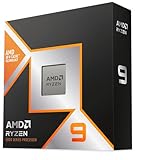
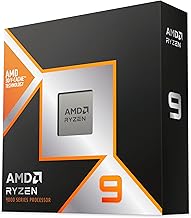
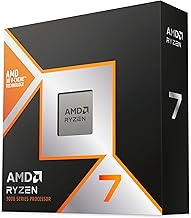
 AMD RYZEN 7 9800X3D 8-Core
- Product Group: Personal Computer
- Binding: Personal Computers


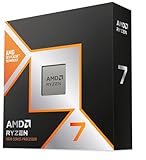
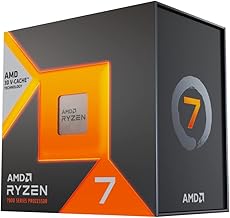
 AMD Ryzen 7 7800X3D 8-Core
- Product Group: Personal Computer
- Binding: Personal Computers

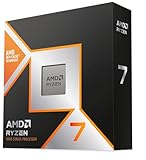
 AMD Ryzen 7 5800X3D 8-core
- Product Group: Personal Computer
- Binding: Personal Computers


As an Amazon Associate we earn from qualifying purchases at no extra cost to you. Ratings are shown as listed on Amazon.
⚡ Save on Your Next PC — Amazon Prime
Prime members get fast free shipping on the systems above, plus early access to Prime Day & Black Friday PC deals. New members get a 30-day free trial.
Watch: Best CPU for Gaming Under $300 — Video Review
How to Choose CPU for Gaming Under $300
- 3D V-Cache matters more than core count: AMD’s stacked L3 cache technology delivers the single biggest gaming uplift available at this price. An 8-core X3D chip will outperform a 12-core non-X3D processor in nearly every game, so prioritize cache over raw core numbers unless you stream or render professionally.
- Factor in the full platform cost: A $250 CPU on AM5 needs DDR5 memory and a newer motherboard, which can add $200 or more. An AM4 chip runs on cheaper DDR4 and boards you may already own. Calculate the total build cost, not just the sticker price.
- Match the CPU to your GPU and resolution: At 4K, most modern processors perform within a few percent of each other because the GPU becomes the limiting factor. If you’re gaming at 1080p with a high-refresh monitor, CPU performance is critical and worth the extra spend.
- Check cooling requirements before you buy: Some budget chips ship with a competent stock cooler, while X3D processors typically don’t include one and run best with a decent air tower or 240mm AIO. Budget $35–$80 for aftermarket cooling if the box comes empty.
- Consider upgrade headroom: AM5 is supported through at least 2027, meaning a mid-range chip today can be swapped for a flagship later without replacing your board. AM4 is at the end of its life — excellent value now, but a dead end for future upgrades.
The Best Picks Reviewed
AMD Ryzen 7 9800X3D
This remains the definitive gaming processor, combining second-generation 3D V-Cache with a fully unlocked design and significantly better thermals than its predecessor. It sits at the very top of this budget bracket, but if you’re pairing it with a high-end GPU at 1080p or 1440p, nothing else here comes close to its frame-time consistency.
AMD Ryzen 7 7800X3D
Still one of the best value gaming chips available in 2026, the 7800X3D delivers roughly 90% of the 9800X3D’s gaming performance for meaningfully less money. It runs cool, sips power under gaming loads, and drops into any AM5 board — making it the smartest buy for most people building a new system on this budget.
AMD Ryzen 7 5800X3D
The best upgrade in PC gaming history for anyone still on AM4, this chip transforms an aging DDR4 build into a legitimately modern gaming machine with a simple BIOS update and a drop-in swap. It’s not the choice for a fresh build, but as an upgrade path it offers unmatched value.
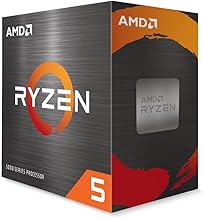
AMD Ryzen 5 9600X
A lean, efficient six-core that punches well above its price in most titles and handles productivity work more gracefully than its core count suggests. Choose it if you want current-generation AM5 features and a clean upgrade path but can’t stretch to an X3D chip today.
AMD Ryzen 5 5500
The genuine budget hero of this list, offering six cores and twelve threads with a bundled Wraith Stealth cooler for the price of a decent game bundle. It won’t keep pace with a high-end GPU, but paired with a mid-range card at 1080p it delivers playable frame rates for remarkably little money.
Frequently Asked Questions
Is 3D V-Cache really worth the extra cost for gaming?
Yes, in the vast majority of cases. Games are highly sensitive to cache latency, and X3D processors routinely deliver 15–30% higher average frame rates and dramatically better 1% lows than equivalent non-X3D chips, particularly in simulation, strategy, and open-world titles.
Should I build on AM4 or AM5 in 2026?
Choose AM5 for any new build — it supports DDR5, PCIe 5.0, and future CPU generations. AM4 only makes sense if you already own a compatible motherboard and DDR4 memory, in which case a 5800X3D or 5500 is an excellent low-cost upgrade.
Do I need more than 8 cores for gaming?
No. Very few games benefit from more than eight cores, and the extra silicon typically comes at the cost of higher prices and, in some cases, lower gaming performance due to cross-die latency. Additional cores are only worth it if you stream, edit video, or run heavy multitasking workloads alongside your games.
Will a CPU in this price range bottleneck a high-end GPU?
At 4K, almost never. At 1080p with a flagship GPU and a 240Hz monitor, weaker chips like the 5500 will absolutely limit performance — which is why the X3D processors on this list are the safer pairing for enthusiast graphics cards.
Final Thoughts
For most gamers building a new system in 2026, the AMD Ryzen 7 7800X3D is the value sweet spot, offering near-flagship gaming performance on a platform with years of upgrade life ahead of it. If your budget stretches to the top of this bracket and you want the best frame rates available, the Ryzen 7 9800X3D is unmatched. And if you’re still running an AM4 board, the Ryzen 7 5800X3D remains the single most cost-effective upgrade you can make without replacing your entire platform.