Key takeaways
- For beginners: A prebuilt like the CYBERPOWERPC Gamer Master removes risk and gets you playing immediately.
- For best value: Building your own stretches your budget furthest, especially toward the GPU.
- For warranty and support: Prebuilts offer single-source coverage and easy help.
- For customization: Building lets you hand-pick every part and aesthetic detail.
- For upgrade confidence: Builders gain the know-how to upgrade easily down the road.
You’ve decided you want a gaming PC, and now you face the fork in the road: buy a ready-made machine, or build one yourself from scratch. It’s one of the most debated questions in the hobby, and the right answer depends less on which is objectively better and more on what you value, money, time, control, or peace of mind.
This comparison lays out buying versus building honestly, using popular prebuilt systems from KOTIN, CYBERPOWERPC, iBUYPOWER, and others as reference points, so you can decide which route fits your situation.
Our top picks
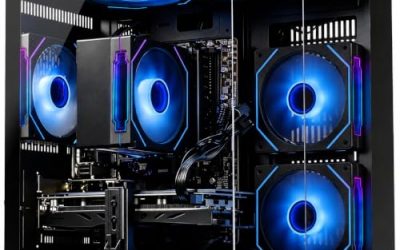
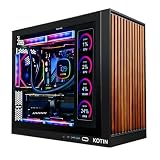
 KOTIN Prebuilt Gaming PC RTX 5070 12GB
- POWERED BY RTX 5070 12GB + RYZEN 7…
- 32GB DDR5 6000MHz MEMORY & 1TB NVMe SSD…
- IN 11.3-INCH Smart DISPLAY - An integrated smart…
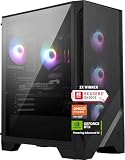
 Prebuilt Gaming Desktop PC
- 【POWERFUL PERFORMANCE】
- 【SMOOTH GAMING】
- 【FAST & AMPLE STORAGE】
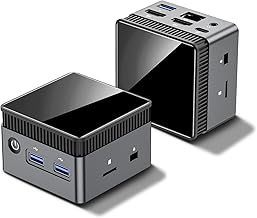
 YAWYORE Gaming PC Desktop Computer AMD R5
- Powerful Processor: AMD Ryzen 5 5600GT 3.6GHz (4.6GHz…
- Motherboard Specification: MSI A520M-A PRO motherboard provides reliable…
- Integrated Graphics: AMD Radeon Vega Graphics (CPU Integration)…
| Product | Key specs | |
|---|---|---|
| KOTIN Prebuilt Gaming PC RTX 5070 12GB | POWERED BY RTX 5070 12GB + RYZEN 7… 32GB DDR5 6000MHz MEMORY & 1TB NVMe SSD… IN 11.3-INCH Smart DISPLAY - An integrated smart… | Check price |
| Prebuilt Gaming Desktop PC | 【POWERFUL PERFORMANCE】 【SMOOTH GAMING】 【FAST & AMPLE STORAGE】 | Check price |
| YAWYORE Gaming PC Desktop Computer AMD R5 | Powerful Processor: AMD Ryzen 5 5600GT 3.6GHz (4.6GHz… Motherboard Specification: MSI A520M-A PRO motherboard provides reliable… Integrated Graphics: AMD Radeon Vega Graphics (CPU Integration)… | Check price |
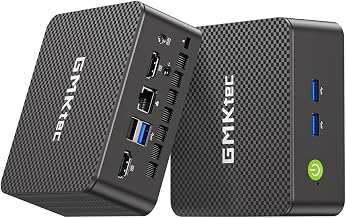
 CYBERPOWERPC Gamer Master Gaming PC CYBERPOWERPC Gamer Master Gaming PC | System: AMD Ryzen 5 5500 3.6GHz 6 Cores… Graphics: AMD Radeon RX 6400 4GB Graphics |… Connectivity: 5 x USB 3.1 | 4 x… | Check price |
 YAWYORE Gaming PC YAWYORE Gaming PC | CPU: AMD Ryzen7 5700X (up to 4.6GHz) 8-Core… Main board: MSI B550M-A PRO motherboard provides reliable… GPU: Geforce RTX 5060 8GB GDDR7 Graphics Cards… | Check price |
 iBUYPOWER Element Gaming PC Desktop Computer AMD iBUYPOWER Element Gaming PC Desktop Computer AMD | AMD Ryzen 9 7900X, NVIDIA GeForce RTX 5070… Connectivity: 6 x USB 3.1 | 1x RJ-45… Special Add-Ons: Tempered Glass RGB Gaming Case |… | Check price |
 msi Codex Z2 Gaming Desktop: AMD R7-8700F msi Codex Z2 Gaming Desktop: AMD R7-8700F | Driven by the AMD Ryzen 7 8700F with… The NVIDIA GeForce RTX 5070 is powered by… Simplistic Design: Enjoy the latest generation of Windows… | Check price |
 CyberPowerPC Gaming PC CyberPowerPC Gaming PC | System: AMD Ryzen 7 8700F 4.1GHz 8 Cores… Graphics: NVIDIA GeForce RTX 5060 Ti 8GB Graphics… Connectivity: 2 x USB-C 3.2 | 4 x… | Check price |
As an Amazon Associate we earn from qualifying purchases at no extra cost to you.
🎮 Get More From Your Setup — Free
Prime Gaming gives you free PC games every month, in-game loot, and a free Twitch channel sub — plus fast free shipping on all the gear above. New members get a 30-day free trial.
Watch: Buying Gaming Pc Vs Building: Full Comparison — Video Review
Quick Verdict
Buy a prebuilt if you want a tested, warrantied machine ready to game out of the box and you’d rather not troubleshoot hardware. Build your own if you want the best value per dollar, full control over every component, and the knowledge that comes with assembly. Newcomers and the time-poor lean toward buying; enthusiasts and value hunters lean toward building.
Buying a Prebuilt Gaming PC
Buying is about convenience and confidence. A system like the KOTIN Prebuilt with an RTX 5070 and Ryzen 7 9700X, or the iBUYPOWER Element with a Ryzen 9 7900X and RTX 5070, arrives assembled, stress-tested, and covered by a single warranty. If a part fails, one company sorts it out. Many include extras like liquid cooling, ARGB, Wi-Fi, and even a keyboard and mouse, and budget-friendly options like the CYBERPOWERPC Gamer Master and various Ryzen 5 towers make entry-level gaming accessible.
The trade-off is a modest assembly premium and less say over individual parts. But for most buyers, especially first-timers, the elimination of build risk and the simplicity of one-stop support are well worth it. You open the box, plug in, and play.
Building Your Own Gaming PC
Building rewards effort with value and control. Choosing each component yourself, GPU, CPU, motherboard, memory, storage, cooler, PSU, and case, lets you avoid the assembly margin and direct every dollar exactly where it matters most, usually the graphics card. You also pick the quality of each part rather than accepting a builder’s choices, which can mean a better power supply or a quieter cooler.
The bigger long-term benefit is understanding your machine. Building teaches you how everything connects, making upgrades and repairs far less intimidating later. The catch is that it takes research and patience, each part carries its own warranty, and when something won’t boot, you are the one diagnosing it. For some that’s a fun puzzle; for others it’s a source of stress.
Head-to-Head: Which Should You Buy?
- For beginners: A prebuilt like the CYBERPOWERPC Gamer Master removes risk and gets you playing immediately.
- For best value: Building your own stretches your budget furthest, especially toward the GPU.
- For warranty and support: Prebuilts offer single-source coverage and easy help.
- For customization: Building lets you hand-pick every part and aesthetic detail.
- For upgrade confidence: Builders gain the know-how to upgrade easily down the road.
Frequently Asked Questions
Is it cheaper to build or buy a gaming PC?
Building is usually cheaper for equivalent parts, letting you put more toward the GPU, but the margin has shrunk as prebuilts have grown more competitive. During sales, systems like the KOTIN or YAWYORE towers can offer value that’s hard to match part-for-part.
Are prebuilt gaming PCs reliable?
Reputable prebuilts are tested before shipping and backed by warranties, so reliability is generally strong. Choose established builders that use standard, upgradable components, like the iBUYPOWER Element or KOTIN systems, rather than obscure proprietary designs.
How hard is it to build your own PC?
It’s more approachable than ever thanks to detailed guides and tool-free cases, but it still requires patience and a willingness to troubleshoot. If a machine that won’t post on first boot would stress you out, buying may suit you better.
Can I upgrade a prebuilt later?
Most quality prebuilts use standard ATX parts, so you can add RAM, storage, or a new GPU over time. Just confirm the power supply has enough headroom and the case has space for your planned upgrades before you commit.
Final Verdict
Neither path is wrong. Buy a prebuilt like the KOTIN RTX 5070 system or iBUYPOWER Element if convenience, warranty, and a plug-and-play experience matter most. Build your own if you want maximum value, total control, and the lasting benefit of knowing your machine inside out. Weigh your budget against your appetite for tinkering, and the right choice will be obvious.